
If you switched on any kind of AI bot blocking inside Cloudflare over the past year, there is a setting worth opening today. A case reported in early August shows that options meant to stop model training are also returning a 403 error to Googlebot and Bingbot, the crawlers your search visibility depends on. This is not a one-off glitch either. It comes from the way crawlers are sorted into categories, and that sorting becomes official policy on September 15, 2026. Plenty of site owners ticked those boxes as a defensive reflex without checking what they actually covered. Here is what happens technically, what flips in September, and which settings to review before your traffic quietly drops.
TL;DR
Sites protected by Cloudflare have seen Googlebot and Bingbot hit with a 403 error after an AI training block was enabled.
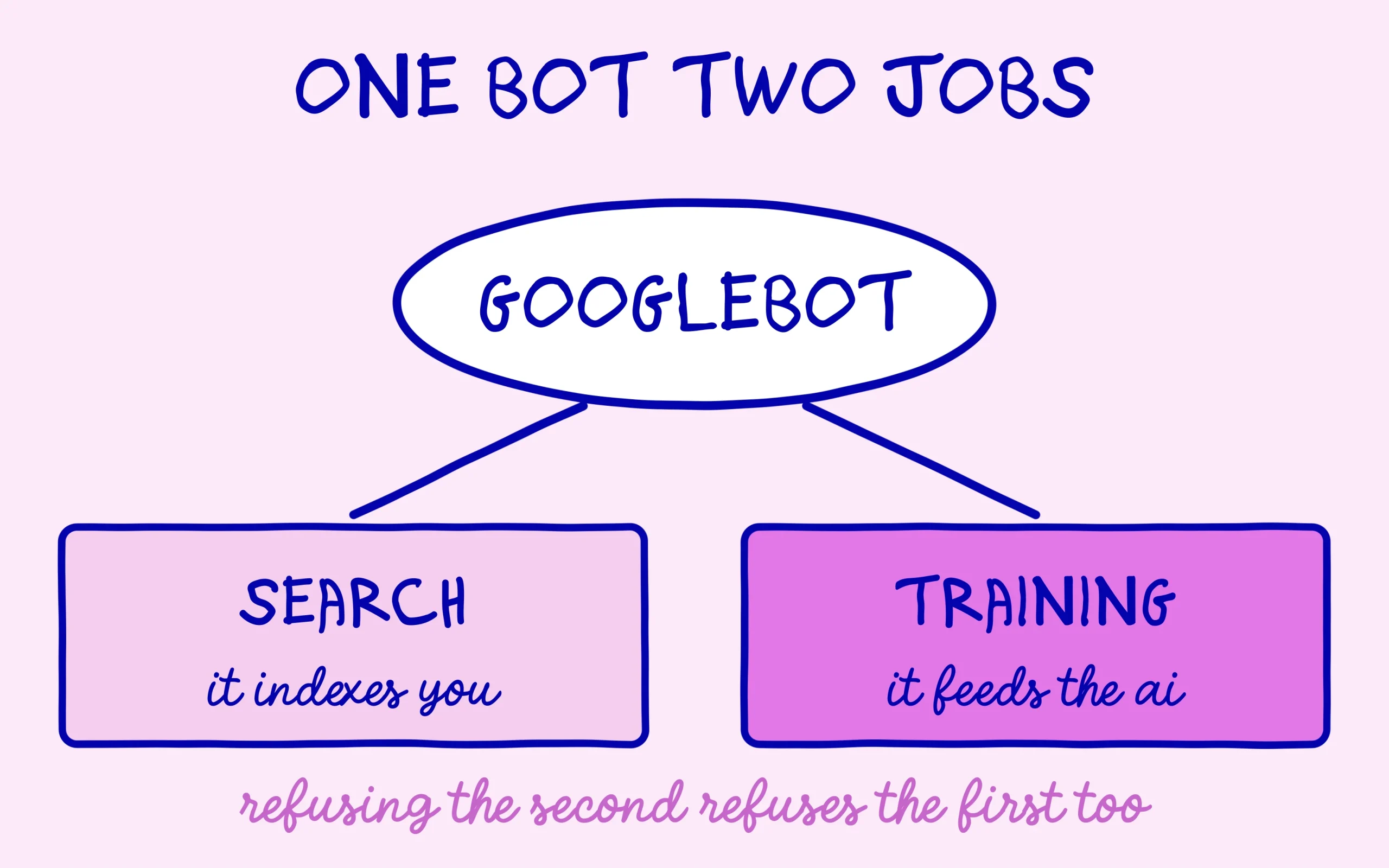
The cause is crawler classification: Googlebot and Bingbot count as dual-purpose bots, serving both search indexing and model training.
On September 15, 2026, new defaults land and multi-purpose crawlers get blocked for every customer who chose to block training.
You can opt out of that behaviour right now in your security settings, well before the deadline.
Summarize This Article with AI
ChatGPTWhy Cloudflare Hands Googlebot a 403 Error
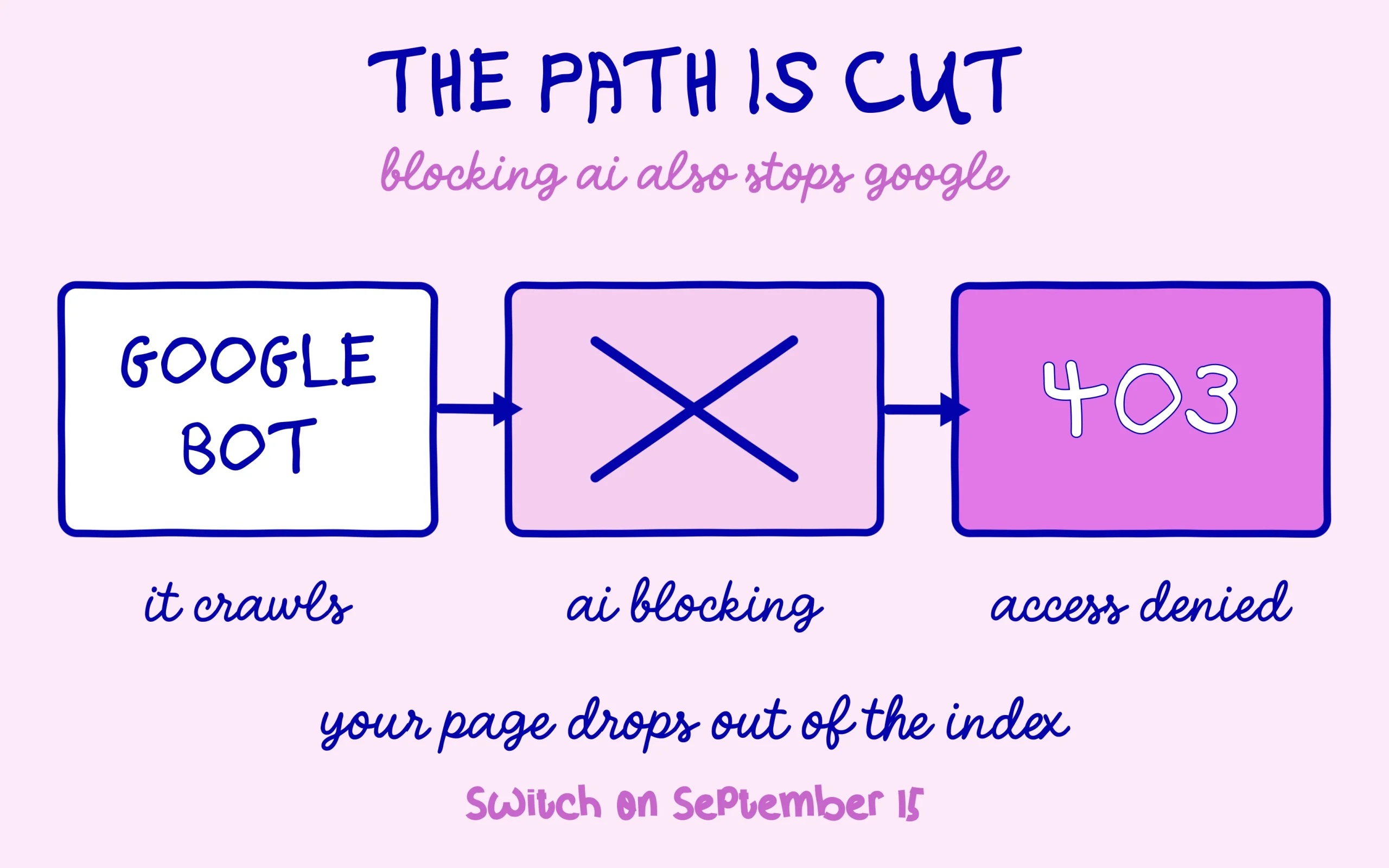
The report came from a site owner who noticed pages had stopped being crawled. Checking the server logs showed that Google’s crawlers were getting neither a page nor a redirect, but a 403 response, the code that means access denied outright. Google publicly acknowledged the report and asked for details to look into it. This is hardly the first time a delivery network’s configuration has interfered with how Google reads a site, a pattern already met with the Cloudflare directive Google ignores in robots.txt.
Two settings sit behind this. The first is Bot Fight Mode, a broad anti-bot protection. The second is the AI training block found in the crawler settings, the one a great many sites turned on over the past year to keep their content out of model training sets.
What matters is how those crawlers get categorised. Cloudflare sorts them into three families by purpose: search, agent activity acting live on someone’s behalf, and model training. Googlebot and Bingbot refuse to sit neatly in one box, since they crawl both to index pages and to feed generative systems.
Those three families deserve to be told apart properly, because most sites end up blocking the wrong one. Search covers crawlers that index your content to answer questions later, with referral traffic expected in return. Agent covers automated activity working in real time for a person, typically an assistant fetching a page mid-conversation. Training covers crawlers that take your content to feed a model, with no visit coming back your way.
A dual-purpose crawler gets blocked the moment one of its jobs is refused. That is the whole mechanism behind the 403: refusing training also refuses indexing, because a single crawler carries both. The rule is spelled out in the official documentation on blocking AI bots, which notes that mixed-purpose crawlers fall under every training-block configuration.
What Actually Lands on September 15
That date turns a side effect into stated policy. From September 15, 2026, two separate changes apply at once.
First, new domains joining the platform get different defaults. Training and agent categories are blocked out of the box on pages carrying ads, while the search category stays allowed. The reasoning favours publishers who live off ad revenue, and it is laid out in the announcement covering the new AI traffic options.
Second, and this is the part that bites an existing site, multi-purpose crawlers get judged on all of their behaviours at once. In plain terms, Googlebot, Bingbot and Applebot will be blocked for every customer who asked to block training. What looked like a malfunction in August becomes ordinary behaviour in September. Until then, the useful habit is watching your actual crawl status rather than waiting on the date, and the full method sits in our walkthrough on how to check indexing in Google Search Console.
There is a way out, and it is already available. Security settings let you state that you want no changes applied to training crawlers that also crawl for search. You keep the block on crawlers dedicated purely to training, and you let the indexing ones through.
Three Checks Worth Running This Week
Start with the Cloudflare dashboard for your domain and open the settings covering AI crawlers. Look at whether the training block is active and whether Bot Fight Mode is switched on. Both enabled at once is the exact configuration that produced those 403 errors.
One clarification saves needless panic here: the new September 15 defaults only apply to domains joining the platform after that date. If your site has been on Cloudflare for a while, your current settings stay exactly as you left them. The change touching you concerns only how multi-purpose crawlers get treated by the options you already ticked.
Next, check your indexing status for real rather than trusting the setting alone. A site can stay properly ranked for several weeks before reduced crawling shows up in the results, which makes the diagnosis arrive late and expensive to undo.
Last, do not count on robots.txt to undo any of this. A block applied at network level fires long before a crawler gets a chance to read your directives, which leaves the file powerless here. The nuance echoes the common mix-up between blocking a page and removing it from the index, unpacked in our piece on why robots.txt is not a noindex.
The bigger question sits underneath the settings. Keeping your content out of generative models while staying visible in search is getting harder to hold together, precisely because the same crawlers serve both jobs. That said, for a young site still building an audience, visibility carries far more weight than content protection. Better to make that call knowingly than through a box ticked one evening.
Keep learning on SEO Noobies.