
The canonical tag belongs to that small family of settings you configure once, never reopen, and quietly regret two quarters later. WordPress makes the trap easier to fall into than most platforms, because a theme and an SEO plugin can each declare their own tag without ever checking on each other. Nothing breaks on screen, no warning shows up in the dashboard, and every page keeps loading exactly as before. The damage surfaces in one place only, the page indexing report inside Search Console, usually long after the traffic has started sliding. Here is how to read what your site actually declares, spot the setting that went wrong, and fix it without breaking anything else.
TL;DR
A canonical tag tells Google which address to show when several pages carry near-identical content.
Two tags declared on the same page cancel each other out, and Google picks an address on its own.
Checking takes thirty seconds in the page source, with no paid tool involved.
Fixes belong in your SEO plugin settings, never in a hand edit of the theme files.
Summarize This Article with AI
ChatGPTWhat a canonical tag actually declares
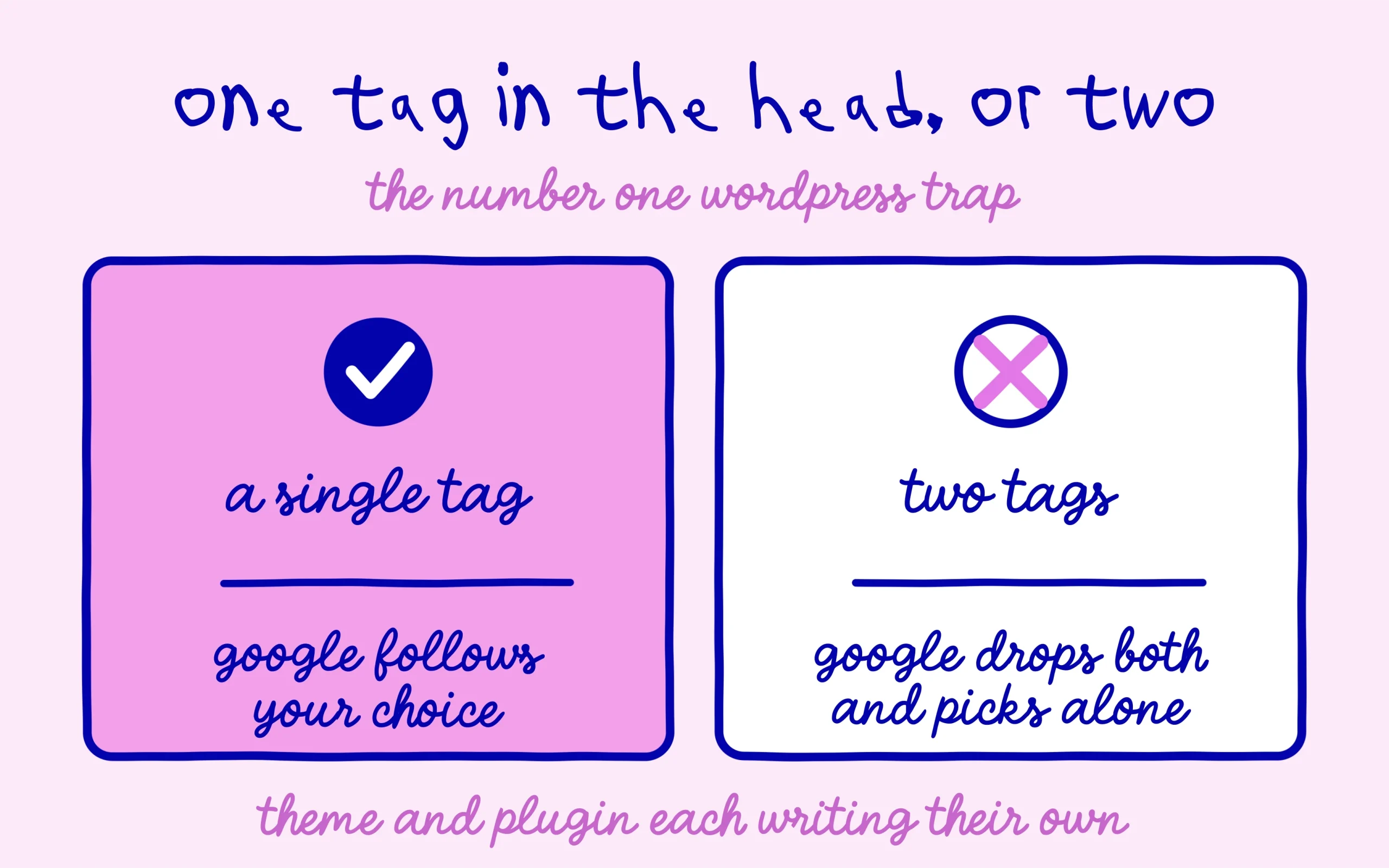
A canonical tag is a single line in the head of your page that names the address worth keeping when several addresses serve the same content. It uses a link element, a rel attribute set to canonical, and the full address of the preferred page. You never see it from the admin area, since it lives only in the code sent to the browser.
On a young site, duplication rarely comes from copied text. It comes from the address variants the site builds by itself: a product page reachable with and without a sort parameter, an article listed under two categories, a www version alongside a bare domain, a comment thread split across several pages. Every one of those addresses returns the same words, and the engine has to decide which one deserves a spot in the results.
One thing is worth settling early, because it saves a lot of frustration later. The tag stays a hint, never a command the engine has to obey. Google reads it, weighs it against every other signal on the site, and keeps the right to pick a different address. The full mechanism sits in the official documentation on consolidating duplicate URLs, which also covers the other ways to point at a preferred page.
When the setup is clean, every page points at itself and the topic is closed. That self-referencing behaviour is the default in every serious SEO plugin, and it is the state you want to return to whenever something looks off. A site with no duplicate addresses has nothing to configure at all, since the tag is already sitting there doing its job in silence.
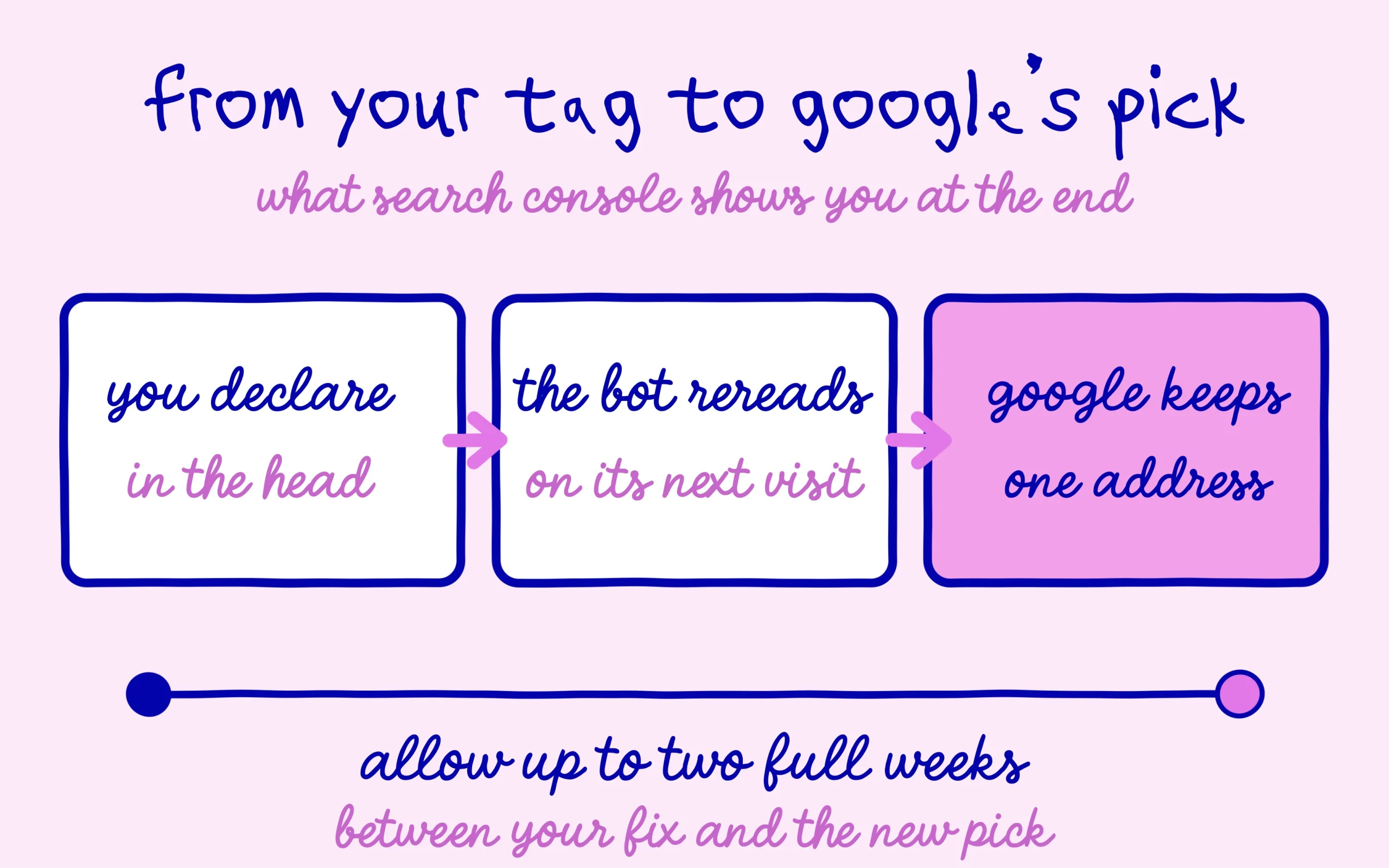
Trouble starts the moment someone fills in the manual field. A wrong canonical tag hands a page’s authority to a different address, and the original slowly drops out of the results while nobody can explain the decline. The recovery clock does not help either, since Google has warned that re-evaluating a canonical signal can take a full two weeks.
Spotting the broken setting in thirty seconds
The check happens right in your browser, with nothing to install. Open the page you are worried about, right-click, and choose to view the page source. In the window that opens, search for the word canonical with your usual find shortcut.
Three outcomes are possible, and each tells a different story. One tag pointing at the page’s own address means everything is fine, so move on. One tag pointing somewhere else is either deliberate or a mistake, and you need to decide which. Two tags or more on the same page is the real issue, and it happens on WordPress more than anywhere else.
That double declaration almost always follows the same script. The theme was coded with its own canonical output, an SEO plugin was installed on top, and both keep writing into the same head section. The engine ends up with two contradictory instructions, drops both, and picks a preferred address by itself. You lost control without doing anything visibly wrong.
The second check runs inside Search Console, through the URL inspection tool. Paste the page address in the bar at the top, run the test, then expand the indexing section. Two lines matter here: the user-declared canonical, which repeats what your site announced, and the Google-selected canonical, which shows what the engine actually kept.
Matching lines mean your setting was applied. Diverging lines mean the engine politely declined to follow you. That same tool is the fastest way to check whether a page is really indexed in Google, which makes it the first move whenever traffic starts thinning out. The page indexing report runs the same diagnosis at scale, with two labels worth memorising: duplicate without user-selected canonical, and duplicate where Google chose a different canonical than you did. Both point at a tag problem far more often than a content problem.
Fixing the setup on WordPress without collateral damage
Start with the most common case, the double declaration. The rule is short: one generator active at a time. If your SEO plugin already writes the tag, the theme has to stop. Look through the theme options first, since most commercial themes released in the last few years offer a switch for exactly this.
When no such switch exists, the temptation is to open the theme files and delete the offending line. Resist it. The edit disappears with the next update, and the same problem comes back in three months with nobody remembering where it came from. A child theme or a separate code snippet handles the case cleanly, and any developer wraps that up in a few minutes if the idea makes you nervous.
Next comes the manual field, the second reliable source of trouble. Inside the post editor, open your SEO plugin panel and switch to the advanced tab. In the free version of Rank Math the setting is labelled Canonical URL, and Yoast uses the same label in the same place. That box should stay empty in the overwhelming majority of cases, because the automatic value is already correct.
A box filled by accident does slow, silent damage. The textbook version is the homepage address copied into dozens of posts, usually after a migration or a bulk import. Every post then tells the engine to ignore its own content in favour of the homepage, and the whole blog eventually drops out of the results. Clear the field, save, and the automatic behaviour takes over again.
When you do fill that box on purpose, three requirements are not negotiable. The address must be absolute, protocol and domain included, never a shortened path. It must match the exact domain version Google knows, so https and the same www choice as the rest of the site. And the target page has to stay reachable and indexable, since pointing at a noindexed page or at a redirect throws away the whole point of the exercise.
Paginated archives deserve a line of their own. On a blog with a long back catalogue, pages two, three and beyond should each point at themselves rather than back at page one. They list different articles, so treating them as duplicates of the first page is a polite request to deindex them. SEO plugins get this right out of the box, and the mistake always traces back to a value someone typed in by hand.
The canonical tag mistakes that keep coming back
The first one is about protocol. A site that moved to https years ago can keep announcing http addresses in its tags, usually because of a hardcoded value in the general settings or in an old configuration file. The engine then receives a pointer to a version of the site that redirects, and the signal loses its way.
Page builders and caching layers cause the next one. Some of them rewrite the head as the page is served and push the tag outside the zone where it belongs. A canonical placed in the body of the document is simply ignored. If your page source shows the tag after the visible content has started, that is your answer.
Multilingual sites deserve a paragraph of their own. Each language version should point at itself, and the relationship between versions belongs to a separate mechanism built for that purpose. Aiming the English version at the French one through a canonical tag is a request to remove English from the results, and it happens surprisingly often right after a translation plugin lands on the site.
One last scenario fools nearly everybody, since no setting is involved at all. Two articles written on the same topic, with the same keywords and a similar structure, sometimes get grouped by the engine, which keeps only one of them. Emptying a field will change nothing there. The answer lives in differentiating the two pieces properly, or merging them into one stronger page.
Once the fix is in, patience is the only remaining task. The engine has to crawl the page again, read the head, and update its choice, which takes anywhere from a few days to two weeks depending on how often it visits your site. Requesting indexing from the inspection tool speeds up discovery a little, and the follow-up is easier when your XML sitemap is properly built and submitted.
A quarterly check is plenty after that. Open the source of three or four representative pages, confirm that exactly one canonical tag shows up and that it points where it should, then close the subject. The habit costs five minutes and spares you the discovery, six months late, that an updated plugin quietly took over your head section.
Keep learning on SEO Noobies.
This article contains affiliate links: if you upgrade to a Pro plan through our links, we may earn a commission at no extra cost to you. It changes nothing about our verdict, which stays based on our own use of the tool.



[…] One area calls for caution, the canonical addresses. The plugin generates one for every piece of content, and the field stays editable post by post inside the SEO box. Touching it blindly tells the engine the page to keep is somewhere else, with an immediate hit on visibility. Real cases and the classic mistakes are laid out in our article on badly set canonical tags. […]
[…] a single edit. A poorly set canonical tag can compound the confusion during such a move, something the piece on a bad canonical tag quietly hiding pages covers in […]