
There is a stubborn mix-up among beginners, and a recent story just put it back in the spotlight: the belief that blocking a page in your robots.txt file is enough to pull it out of Google, when only a noindex tag actually does that job. It started with shared conversations from an AI tool that ended up visible in search results, much to their authors’ surprise. Dig into it and you hit a mechanism that a lot of site owners still get wrong. Most write-ups treat the case as a curiosity, but there is a very practical lesson to take from it when you run your own site. Here is what really happens, and how to avoid the trap.
TL;DR
Blocking a page in robots.txt stops Google from crawling it, but does not necessarily remove it from search results.
If other sites link to that page, it can stay indexed, because Google never sees the instruction hidden inside it.
To remove a page from Google you need a noindex tag the crawler can read, so a page that stays reachable.
The beginner reflex: keep robots.txt for what you do not want crawled, and noindex for what you do not want indexed.
Summarize This Article with AI
ChatGPTWhy a page blocked in robots.txt still shows up on Google
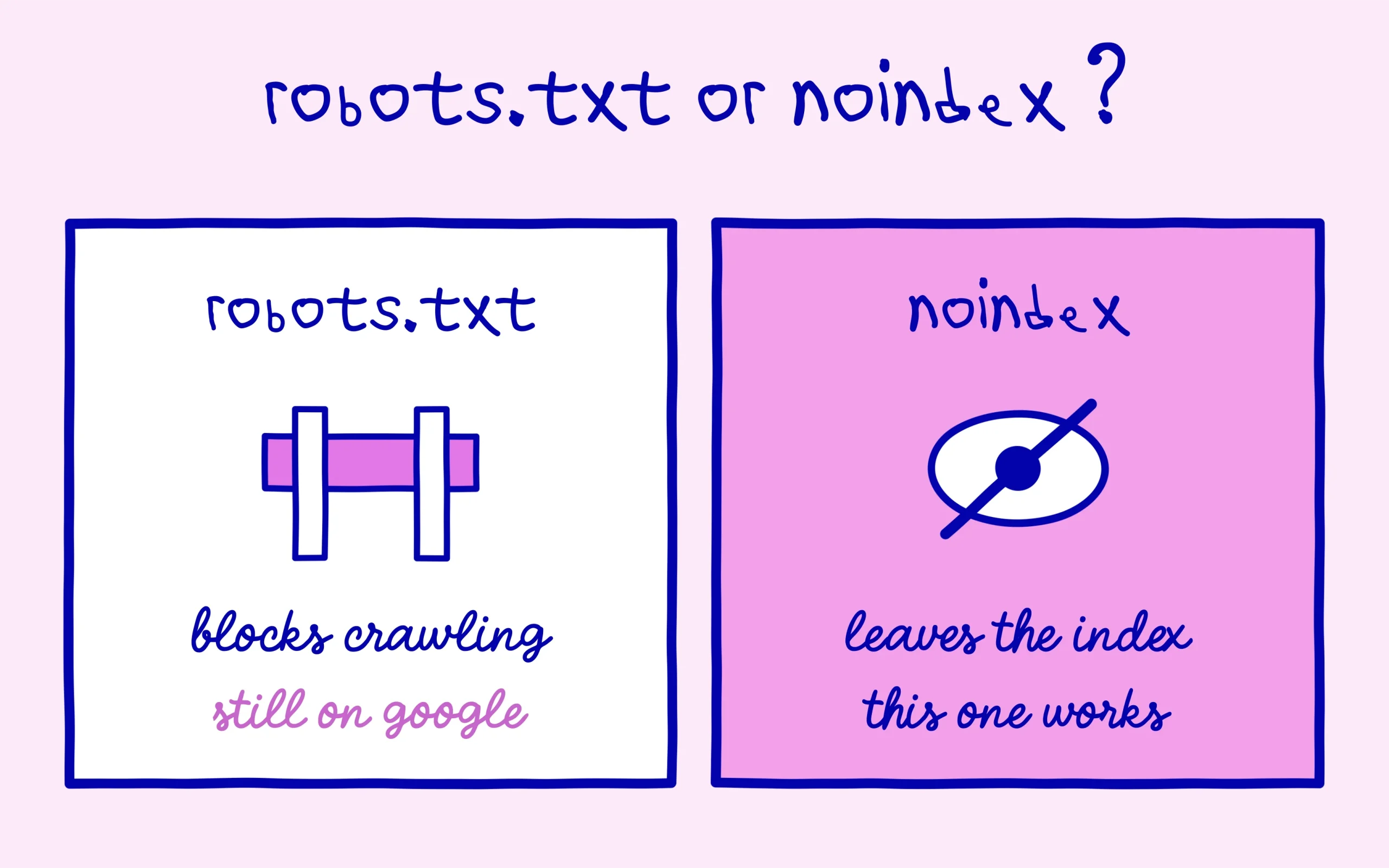
Let’s start with the sticking point. The robots.txt file tells search engine crawlers which parts of a site they may explore. When you write a block rule for a page, you are asking Google not to come and read it. But not reading a page is not the same as not showing it. Google can perfectly well learn that the address exists through other paths, especially when another site links to it, and choose to display it in results without ever having crawled it. Google’s own documentation on blocking indexing spells it out: a page blocked from crawling can still appear if other pages point to it.
Here is where it gets counterintuitive: the block works against you. By denying access to the page, you also stop Google from seeing the noindex instruction you may have placed inside it. The crawler never walks through the door, so it never reads the do-not-index sign hanging behind it. The page stays a candidate for display, and you have lost the one clean way to get it out. We saw this same misunderstanding when Google ignored a robots.txt directive that had been added to pages automatically, proof that this file does not decide everything.
One detail that matters when you are starting out: robots.txt governs crawling, not indexing. They are two different levers with two different effects, and mixing them up leads straight to the problem you were trying to dodge. Blocking the crawl never erases a page from Google’s results. Keep that sentence in mind and it will save you a fair few nasty surprises on your own pages.
What the indexed AI conversations case reveals
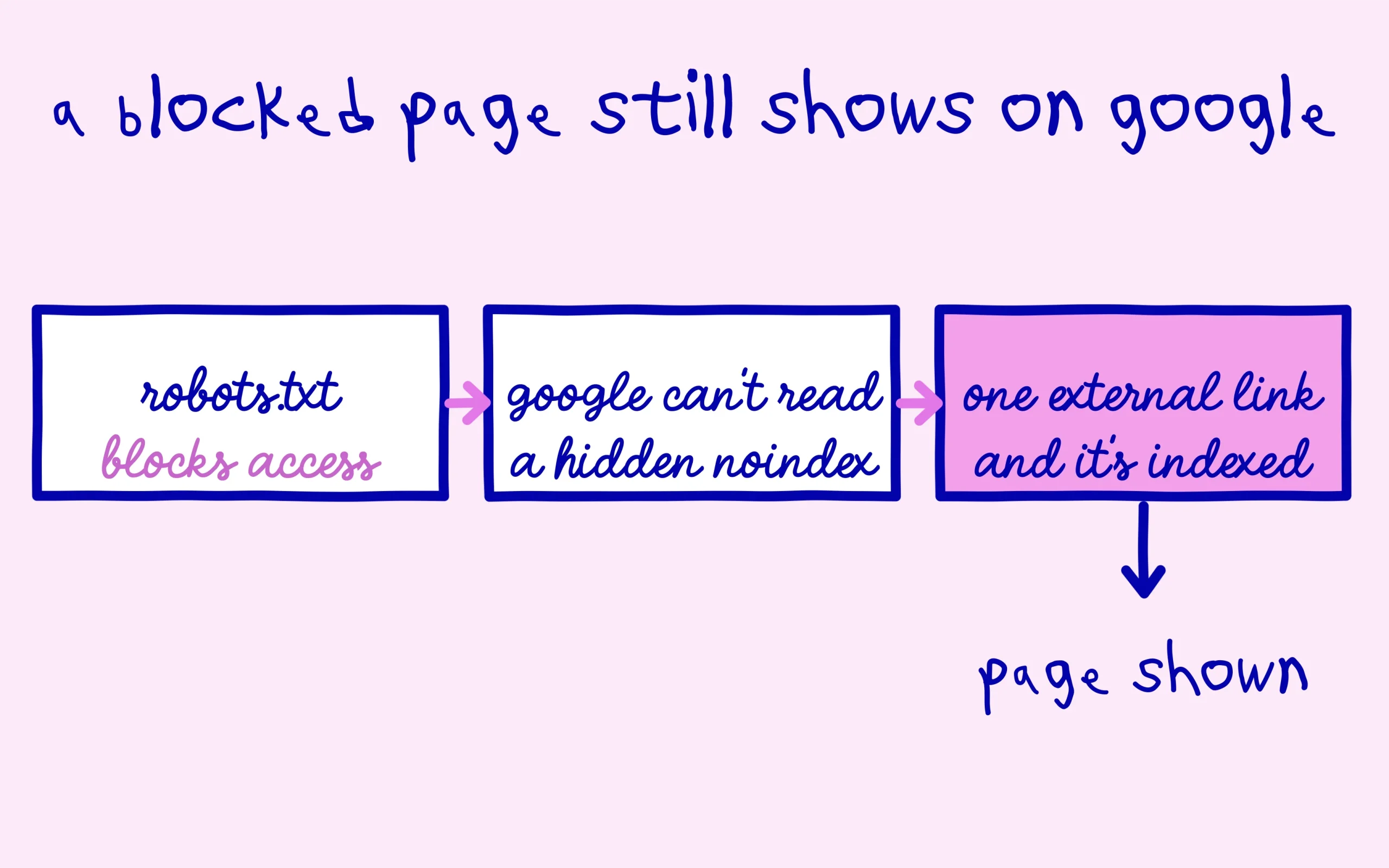
The story that reignited the topic is telling. Shared conversations from an AI tool turned up in Google, even though the company believed it had shielded them. Looking at the setup, a consultant pointed to the contradiction: the pages were both blocked in robots.txt and meant to carry a do-not-index instruction. Because the block stopped Google from reading that instruction, the pages stayed indexable. The detailed technical breakdown of this configuration slip walks through the chain step by step.
What is interesting is the contrast with another part of the same site that was set up correctly. There, the pages were not blocked in robots.txt but carried a real noindex tag the crawler could see. Google could crawl them, read the instruction, and keep them out of its index. Two settings, two opposite outcomes, on the same domain name. That is the rule demonstrated at full scale, on a real case rather than a textbook example.
The lesson goes well beyond one AI tool. Plenty of beginners think they are protecting a sensitive page by tucking it into robots.txt, then act surprised when it resurfaces in a search. It is a bit like the alerts people assume are serious when they are not, the ground where Google plays down many Search Console signals. A page you genuinely want hidden is handled with a noindex, not with a block.

The noindex reflex to adopt as a beginner
Concretely, here is how to go about it. If you want a page to stay out of Google, let the crawler reach it and add a robots meta tag set to noindex, or the equivalent server header if you are comfortable there. The page stays crawlable, Google reads the instruction, and it drops the page from its index on the next pass. This is the method Google officially recommends, and the only one that truly works end to end.
Keep robots.txt for its real job, then: avoiding the crawl of useless zones like technical pages, shop filters or test areas, without trying to deindex them that way. If one of those pages is already floating around in Google, do not block it in robots.txt hoping it will vanish. Do the opposite: leave access open and place a noindex, giving Google time to remove it on its own. For anything touching a young site’s indexing, it is better to follow the indexing advice Google gives to small sites than to tinker blind.
One last point before you dive in. Always check that a single page does not carry both a robots.txt block and a noindex, because the two instructions cancel each other out at the worst possible moment. A quick URL inspection in Search Console will tell you whether Google sees your page the way you intend. The right pair is robots.txt for crawling and noindex for indexing, each in its lane, and you take back control over what shows up under your name.
Keep learning on SEO Noobies.