
Search Console or Analytics is the question that shows up the moment you install both and notice their numbers refuse to agree. One tool reports 340 clicks for the week, the other shows 280 organic sessions over the same days, and you start wondering which one is lying. Both are honest, they simply count different things at different points of the journey. Let’s draw that line once and for all, work out which question belongs to which tool, and go through the gaps Google documents itself. No technical background needed here, just both accounts open side by side.
TL;DR
Search Console measures what happens in Google results, before the click.
Analytics measures what visitors do once they land on your site, after the click.
The closest metrics across the two are clicks and sessions, and they will never match exactly.
Google documents eight causes for the gap, including time zones and canonical URLs.
Get an AI summary of this article
Two tools watching two different moments of the journey
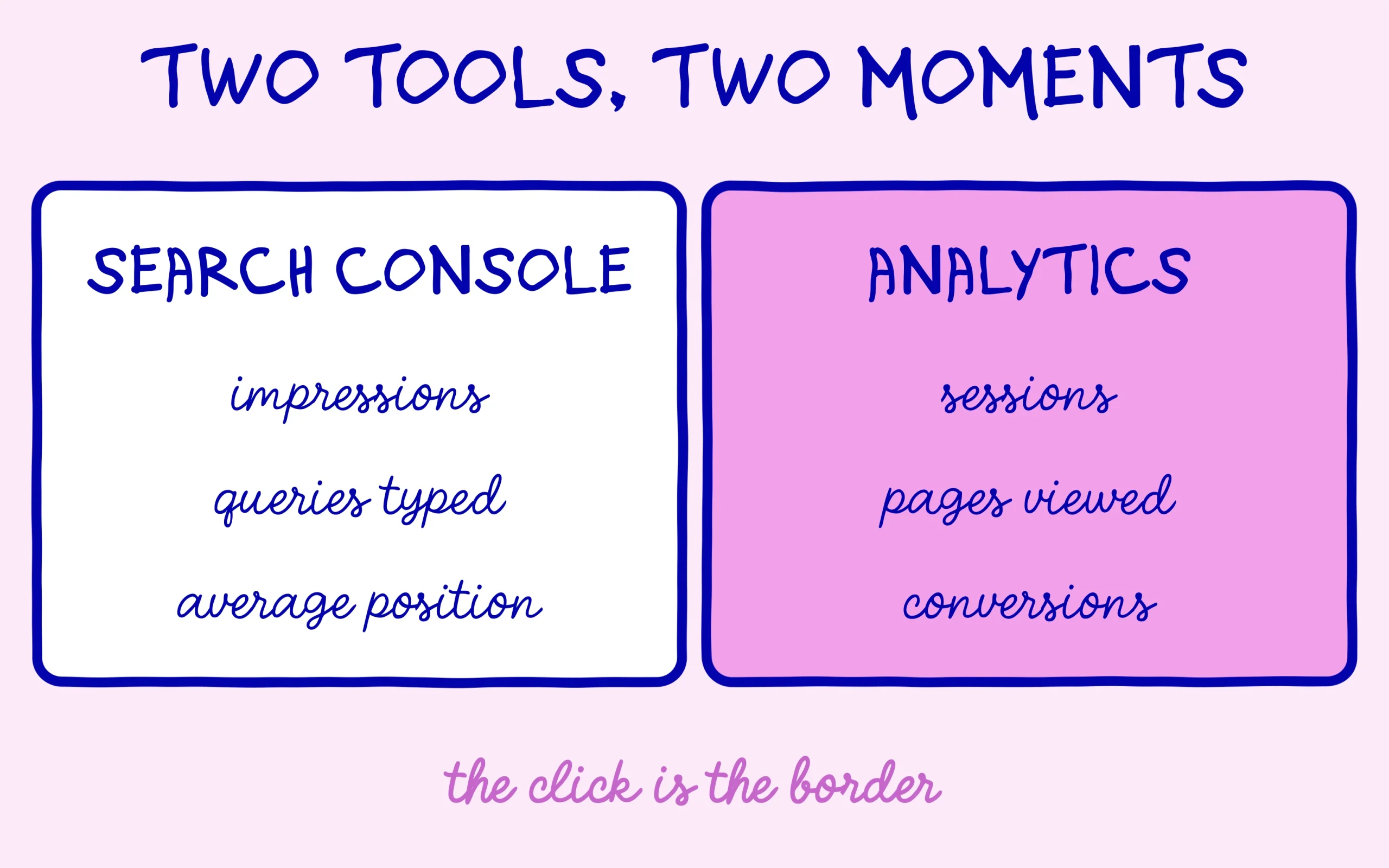
The Google Search Central documentation on using both tools together settles it in one sentence each. Search Console provides data about how your website is performing in Google Search results. Analytics provides data about visitors’ interactions with your website. Everything else follows from that.
Picture a shop window. Search Console tells you how many people walked down the street, how many stopped to look, what they were shopping for and where your window sat among the others. Analytics takes over the second somebody pushes the door open: what they look at, how long they stay, what they buy, where they leave from. the click is the exact border between the two tools, and that image resolves most day-to-day confusion.
The same border explains what each tool is blind to. Search Console knows nothing about what happens on your pages, so no conversion question gets answered there. Analytics has no idea about impressions, the queries people typed, or your average position, because all of that belongs to the results page. Somebody who saw you in fourth place and kept scrolling exists in one tool only.
One scope note deserves saying early: Search Console covers Google Search and nothing else. Traffic from Bing, a social network, a newsletter or a forum link appears in Analytics and stays invisible in Search Console. If the tool is new to you, the full tour of Search Console takes about half an hour and gives you the vocabulary for everything below.
Search Console or Analytics depending on the question you are asking
Choosing gets easy once you start from the question. You want to know which queries you appear for, whether a page is climbing or sliding, how many times your site was shown, which pages Google refuses to index, or how the site behaves on mobile: all of that lives in Search Console and nowhere else.
You want to know which page holds attention, which channel brings the people who buy, how many visitors complete your form, or what readers do between the homepage and the checkout: those answers live in Analytics. The same goes for paid campaigns, email and social traffic, none of which leaves any trace in Search Console.
Then there is the category of question that genuinely needs both, and that is the one that moves a site forward. A page pulling plenty of clicks whose visitors bounce straight back tells you the title promises something the page fails to deliver. A page that converts beautifully on very few clicks deserves work on its title and description instead. crossing both tools exposes badly titled pages, something neither one reveals alone.
On generative search the border shifts a little, and it helps to know how. Impressions and clicks coming from AI Overviews and AI Mode now surface in a dedicated Search Console report. A visitor sent over by ChatGPT or Perplexity, meanwhile, lands in Analytics like any other referral, with the source domain attached. Two surfaces, two separate tools, each with its own blind spots.
Discover the SEO Noobies agency

The eight official reasons clicks and sessions disagree
Google acknowledges the mismatch and publishes the reasons behind it. The closest metrics remain Search Console clicks and Analytics sessions, with this caveat from the documentation: the general trends and patterns should be similar, the exact numbers should not.
The first cause is the Analytics implementation itself, which depends on the tracking tag being present on every page. A page without the tag stays invisible. The second is cookie consent: a visitor who declines tracking vanishes from Analytics while their click was counted by Search Console. The third is time zones, with Search Console defaulting to Pacific Time, which shifts where one day ends and the next begins.
Attribution models come next, with Search Console counting every click while Analytics groups activity into sessions. One person clicking your result three times in the same half hour produces three clicks and a single session, which is where Search Console or Analytics start to drift apart on a quiet week. The fifth cause is canonical URLs: Search Console reports everything against the canonical URL Google selected, while Analytics records the address actually visited. On a site with URL parameters or page variants, that difference becomes visible fast.
The last three are more mechanical. Traffic is broken down differently, with Search Console separating web, image, video, news and Discover, where Analytics files everything under one organic line. Non-HTML files such as PDFs are handled differently, since a PDF opened from a search result runs no tracking code at all. And Analytics automatically filters out known bot traffic, which Search Console handles on its own terms. a gap of ten to twenty percent is normal and expected.
These causes stack, which is why the gap can look enormous on a small site. Out of a hundred clicks in a week, a consent banner declined by a third of visitors, two days shifted by the time zone and a handful of bots are enough to open a thirty percent hole between the two dashboards. So the useful question in front of a gap has two parts: do the two curves have the same shape, and does the gap stay stable week to week. Two parallel curves with a constant offset describe healthy measurement.
A weekly reading routine for a site that just launched
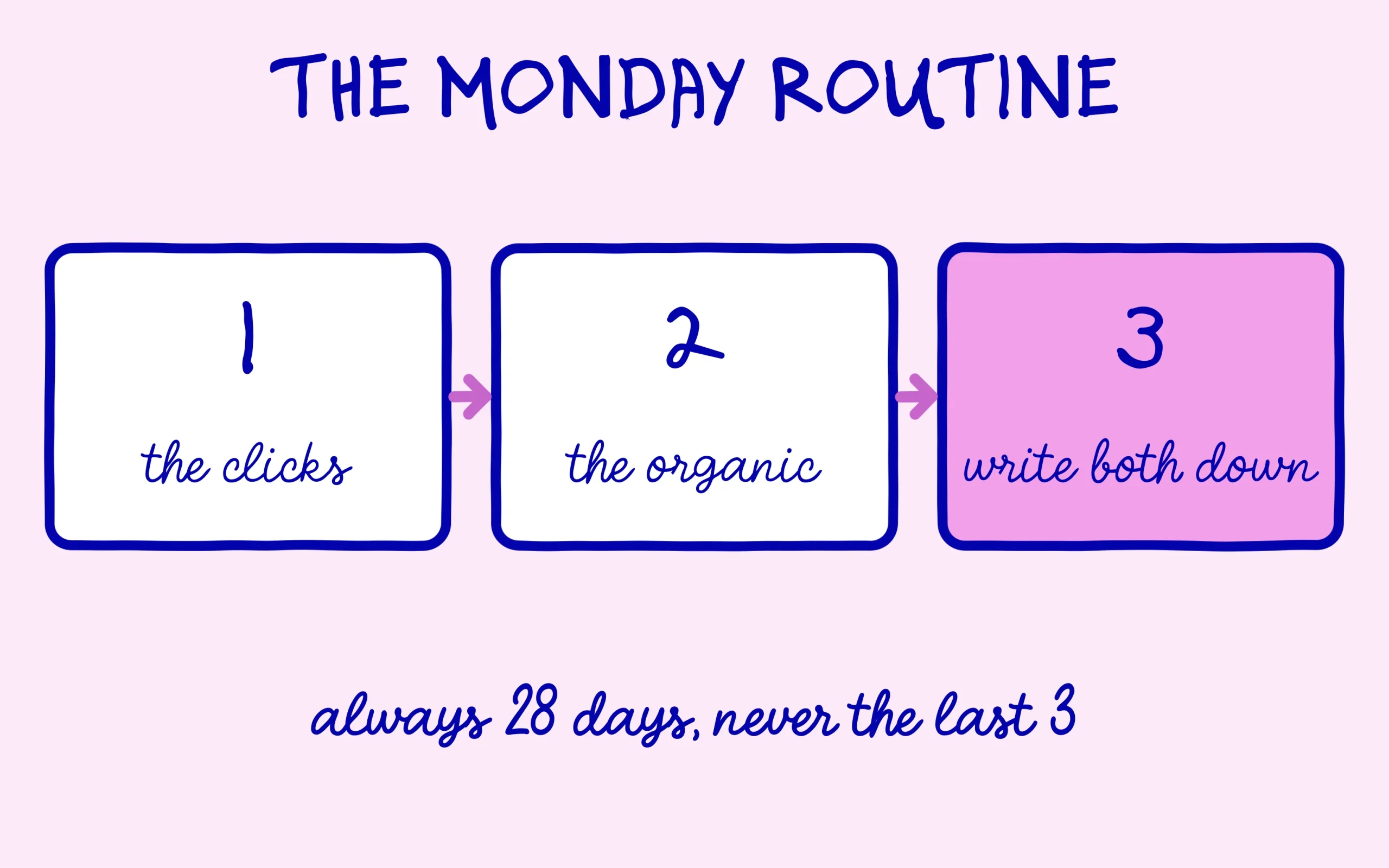
The most effective habit early on takes three steps, once a week, always in the same order. Open the Performance report in Search Console over the last 28 days and look at the clicks curve first. A sudden drop gets diagnosed next in the page indexing report, a slow decline gets examined through average positions per query.
Move over to Analytics next, into the traffic acquisition report, and compare the organic trend with what you just saw. Two curves rising together confirm the movement. A curve rising in one tool while flat in the other points to a measurement problem, very often a tracking tag missing from one page template or a consent banner set too tight. Search Console or Analytics, whichever one moves alone is usually describing a broken measurement rather than lost traffic.
Sooner or later you will want both sources in a single table. Google’s documentation points to a BigQuery export for merging the data properly, which takes some technical work and earns its keep on large volumes. On a site of a few dozen pages, a plain spreadsheet with two columns per week does the same job. What matters is comparing Search Console or Analytics against their own history, rather than against each other on a single day.
One principle settles the ambiguous cases, and it comes straight from Google: the source of truth for search performance will always be Search Console, while the source of truth for behaviour inside your site will be Analytics. When they disagree about search, Search Console wins. When they disagree about what visitors did, Analytics wins. That rule saves hours of pointless reconciliation between columns that were never designed to line up.
A gap that suddenly widens overnight does deserve a check, though. Look at whether the tracking tag still sits on the template concerned, whether a site update touched the consent banner, and whether the drop shows up in both tools or only in one. Writing the two weekly figures into a simple file pays off here, because a month of history turns a scary number into a visible pattern. Without that history, every dip looks like a penalty and every spike looks like a win.
Last habit worth building, valid in both tools: treat the most recent three days with suspicion. Search Console consolidates its data with a delay, so fresh numbers stay incomplete, and one quiet day on a small site rarely means anything at all. The same restraint applies to Search Console alerts worth putting in perspective. Reading either tool over a 28-day window prevents most of the panic beginners put themselves through.
Keep learning on SEO Noobies.



[…] you want to know that now. To read those numbers next to your sales or sign-ups, the comparison of Search Console and Google Analytics helps you pick the right tool for each […]