
You open Search Console one morning and a banner tells you that structured data errors affect eighteen pages on your site. The message mentions a missing field, an unrecognised property, an invalid item, and none of it explains what to do or whether it matters. The good news is that the overwhelming majority of these alerts trace back to one badly placed setting rather than to eighteen separate problems. Here is the whole thing from the start: where the report sits, how to read what it says, how to fix the cause rather than the symptoms, and how to get Google to check your work. No theme code to touch, nothing new to install.
TL;DR
The Rich Results report in Search Console lists your structured data errors, page by page and type by type.
An error hitting dozens of pages almost always comes from the page template or a plugin, never from the pages themselves.
Fix the template, check one page in the Rich Results Test, then start validation from the issue detail page.
Validation takes two weeks or more depending on crawl frequency, and a page blocked in robots.txt will never be revalidated.
Summarize This Article with AI
ChatGPTContents
Finding the report that lists your errors in Search Console
Reading an error message without panicking
Fixing the template instead of the pages one by one
Finding the report that lists your errors in Search Console
Structured data is a piece of invisible code added to your pages to describe their content to a machine: this is an article, here is its author, here is its date, here is the average rating of this product. Google uses it to build rich results, those search blocks showing stars, a breadcrumb trail or an image alongside the blue link. When the code describes badly, the enriched block does not appear and Search Console tells you so.
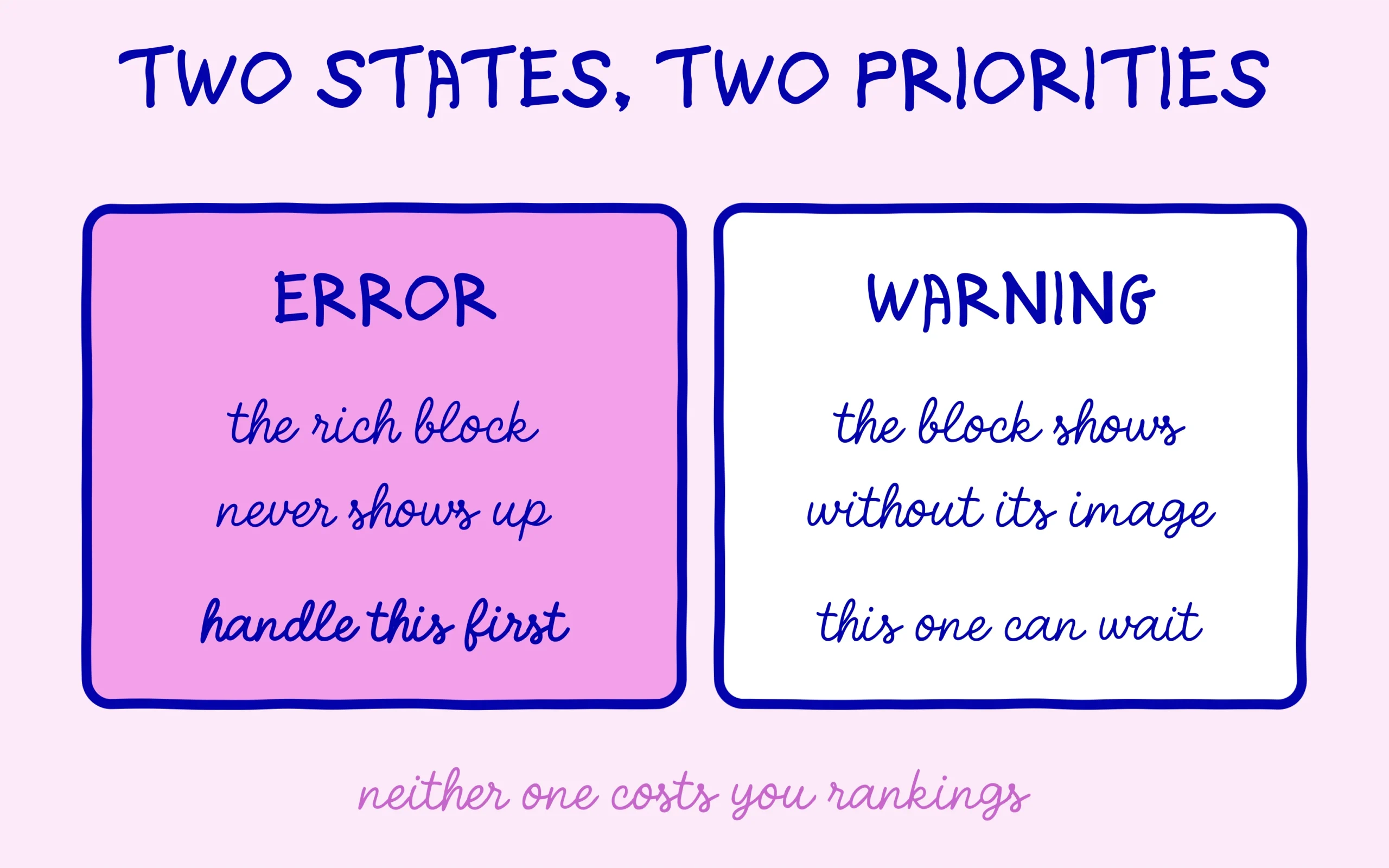
The structured data report lives in the left column of Search Console, under Enhancements on older interfaces, or straight inside the Rich Results report. You get one line per type detected on your site: Article, Product, Breadcrumb, FAQ, Review. Each line carries one of three states. Invalid items block the enriched display outright, items valid with warnings still show but would gain from being completed, and valid items ask nothing of you.
One habit helps before panicking at the number on screen. the figure counts pages, not problems, and clicking through an error line nearly always reveals the same single cause repeated across a run of URLs. Report wording has a long history of alarming people more than the situation deserves, and we covered how Google itself plays down most of these alerts. A warning costs you a richer display, not rankings.
Write down the starting state before touching anything. A plain file holding today’s date, the type involved, the number of affected pages and the exact wording of the message gives you something to compare against a fortnight from now. Without that record you will have no way of telling whether your fix worked or whether Google simply recalculated its report on its own schedule. The same note-taking habit pays off across every other Search Console report, and it costs two minutes.
Reading an error message without panicking
The most frequent structured data labels on WordPress fall into three families. “Missing field: author” and “Missing field: datePublished” mean your theme declares a page as an article without giving it an author or a date. “Invalid value in field X” means the field exists but its format does not match what Google expects, a date written back to front being the classic case. “Unrecognised type” means the code announces a vocabulary Google cannot read.
The commonest beginner error has nothing to do with a bug. It comes from stacking: the theme generates Article markup, an SEO plugin generates a second set, a review plugin adds a third, and all three contradict each other on the same page. The report then flags missing fields on a block whose existence you never suspected. two plugins describing one page will disagree, and Search Console never tells you which of them is speaking.
To settle it, open one of the listed pages in Google’s Rich Results Test and count the blocks it detects. If it finds two of the same type, you have your culprit before touching a single setting. The tool takes a live URL or a pasted snippet, which lets you check a fix before publishing it anywhere.
One reading detail keeps you aimed at the right target. The tool lists detected blocks in the order it meets them in the source, not in order of importance. The first block on the list is therefore not necessarily the one your SEO plugin produces: on many themes the theme’s own markup comes out on top simply because it sits higher in the page. Compare which fields are populated in each block to work out where each one comes from.
Warnings deserve a different sort of attention from errors, and beginners tend to treat them as the same thing. A missing image field on an Article block is a warning: the rich result still shows, just without the picture that would have made it stand out on a phone screen. Clearing warnings is worth doing once the errors are gone, in the order of how visible the missing element would be. An absent image costs more attention on a small screen than an absent word count ever will.
Fixing the template instead of the pages one by one
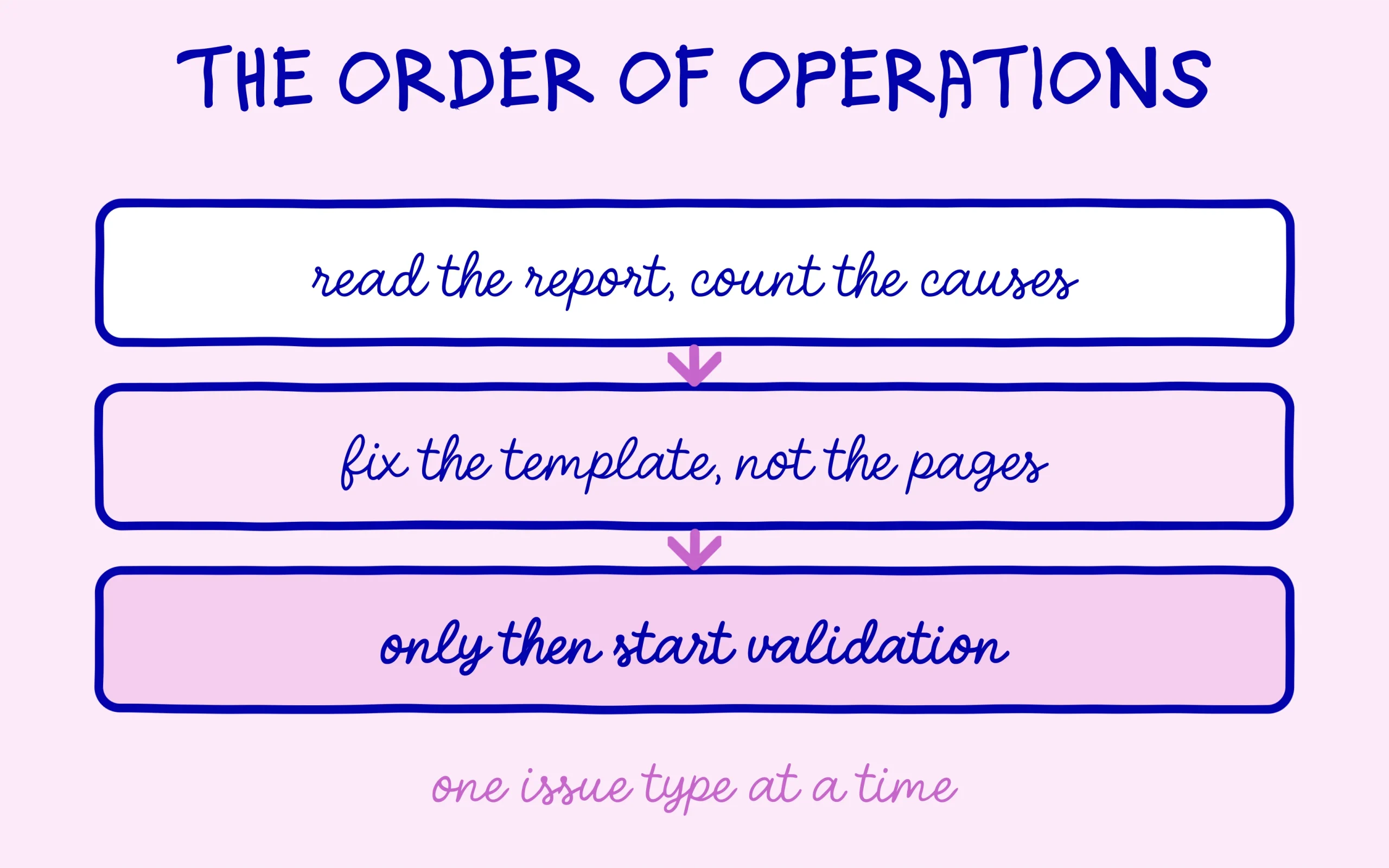
The official help page on fixing structured data problems puts it plainly: when the error stems from a template, fixing the template resolves the issue for every page built on it. That describes a WordPress site exactly, where two hundred articles share one layout. Working through pages one at a time amounts to repainting each plank of a fence instead of changing the tin of paint.
In practice the structured data fix happens in your SEO plugin settings. On WordPress, Rank Math on its free tier handles markup for every content type from a single screen, with a dedicated section for setting the default type of a post, a page or a product. If you are starting from scratch with the plugin, the full walkthrough sits in our step-by-step setup guide. What matters is having one source of markup active at a time.
That leaves the case where the duplicate comes from the theme, which happens often with older free themes. Most offer a checkbox to switch off their own markup, usually filed under layout options. When no such option exists, turning markup off on the plugin side and letting the theme do the job beats leaving both running. one source of markup per page is enough, and that principle clears the majority of red reports.
There is one case where a duplicate is normal and must not be removed. A page carrying both Article markup and Breadcrumb markup describes two different things, the content on one side and the navigation on the other, and Google expects both. The rule applies to two blocks of the same type, never to two complementary types. Before disabling anything, confirm in the test tool that both blocks really announce the same type.
Give the change a few days before judging it. Editing a template updates every page instantly on your side, yet Search Console will keep showing the old figures until Google recrawls the affected URLs, which happens gradually rather than all at once. Beginners often undo a correct fix after forty-eight hours because the number on screen has not moved. Check one page in the test tool instead: if that page comes back clean, the template is fixed and the report is simply lagging behind.
Getting your corrected structured data validated by Google
Start with the point half of all beginners forget. A page blocked in robots.txt or carrying a noindex tag will never be revalidated, because Google is no longer allowed to read it. The documentation is firm on that prerequisite, and we set out elsewhere why blocking a page in robots.txt is not the same as noindexing it. Use the URL Inspection tool and its live test to confirm the corrected page is genuinely reachable.
Once that is confirmed, know that a published fix does not register in Search Console by itself. You have to open the issue detail page and click the validation button, which starts a two-stage check. Google tests a sample of pages first, and if the sample passes it widens the check to the remaining affected URLs. The validation status then moves in front of you from not started, to in progress, to either a successful or a failed state.
A last piece of method, taken from that same help page: handle one issue type at a time, across every affected URL, before moving to the next. Running three validations in parallel on three separate causes makes the result impossible to read the moment one of them fails.
If validation comes back as failed, the report hands you the offending URLs and the reason. In most cases these are pages that never went through the corrected template: a page built by hand, content imported from an old site, or an article whose type was changed after publication. Deal with those exceptions separately once the bulk is settled, rather than relaunching the whole validation and hoping for a different outcome.

What validation does not tell you, and how long it takes
Allow two weeks before your structured data turns green again, sometimes longer, depending on how often Google comes back to your site. That is the delay the documentation states outright, and it hangs mostly on your page count and on how quickly your content changes. A site published three months ago will wait longer than a news outlet shipping three articles a day, and none of that says anything about the quality of your fix.
A successful validation does not guarantee a rich result will appear either. It confirms your code is valid and eligible, while the display stays Google’s call and depends on the query, the device and the competition on the results page. eligible does not mean displayed, and conflating the two leads to weeks of tinkering with markup that was already correct.
On the generative side, keep expectations low about any knock-on effect. Clean markup does not turn you into a source ChatGPT or Perplexity will cite, as our look at what models actually read from schema markup showed. Clearing these errors serves your presence in Google results first, and the clarity of your pages for any machine reading them second. That is reason enough to empty the report.
A closing word on priorities. An all-green structured data report on a site whose pages are not indexed is worth nothing at all, and indexing always comes before display enhancements. If your pages already struggle to enter the index, working out what Google means when it discovers a page without indexing it will pay off more than any markup fix.

Keep learning on SEO Noobies.
This article contains affiliate links. It costs you nothing extra and helps us keep the site free.