
Rank Math setup is one of those jobs people put off, picturing an endless tunnel of settings nobody explained. The reality is far gentler, because the plugin ships with a wizard that asks its questions in order and applies sensible starting values for a site that has just gone live. The trap sits somewhere else, on the three or four screens where the suggested default does not match your site and nothing warns you about it. Here is the full walkthrough, from the install to the checks worth running once the wizard closes, with the settings that deserve your attention and the ones best left alone.
TL;DR
Rank Math setup runs inside a guided wizard of roughly ten minutes, and its Easy mode is plenty for a site that has just launched.
Three screens deserve real attention: your site presentation, the Search Console connection and the optimisation options.
Once the wizard closes, the Titles & Meta section holds the settings that genuinely move the needle on a young site.
Three quick checks confirm everything holds: sitemap reachable, useless archives out of the index, score visible inside the editor.
Summarize This Article with AI
ChatGPTWhat the Rank Math wizard handles for you
The install holds no surprises. From the WordPress dashboard, head to Plugins then Add New, search the plugin name, install, activate. You can install Rank Math on its free tier without paying anything, and every step of this tutorial works on that version.
The wizard fires up on its own right after activation. First screen, you are asked to link a Rank Math account or create one. Plenty of beginners freeze here, wondering whether it is a sales trap. The account is free and switches on the features that run through the plugin’s own servers, content analysis among them. Create it, because the wizard goes nowhere without it.
The next screen offers to import data from another SEO plugin. Yoast, All in One SEO and SEOPress are recognised, titles, meta descriptions and robots settings included. Coming from one of those, run the import before touching anything else. Starting from a brand new site, the screen will not even show up.
Then comes the mode choice, the only structural decision of the whole start. Easy mode walks through the essential screens. Advanced mode adds role management, 404 monitoring paired with redirections, and default schema markup. Custom mode, reserved for the paid tier, exists to reload a settings file you saved elsewhere. easy mode covers everything a first website actually needs, and nothing stops you from switching the advanced modules on later from the dashboard.
A word on what the wizard will never do for you. Rank Math setup lays down clean technical foundations, without picking your topics, your keywords or your site structure. What the plugin genuinely covers is broken down in our full Rank Math review, and the official screen-by-screen procedure lives in the configuration guide published by the plugin makers.
Rank Math setup screen by screen for a first site
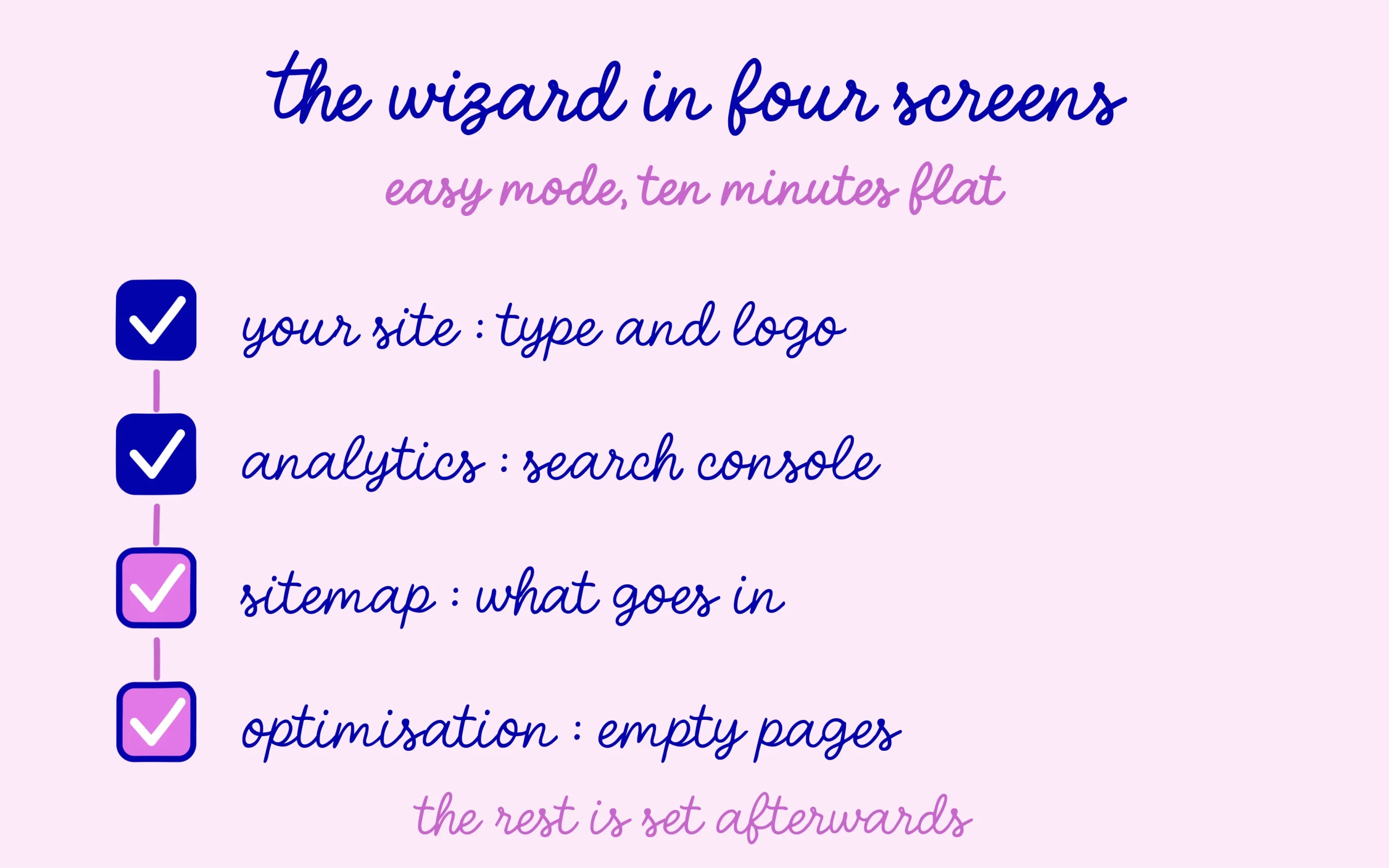
The first real screen is called Your Site. You declare the site type, its name, its logo and the default image used when your pages get shared on social platforms. the site type you declare here drives the schema markup on your content, so the field is anything but cosmetic. A personal blog, a shop and a company site do not get the same treatment, spend thirty seconds picking the right one.
The Analytics screen offers to connect your Google accounts, in practice Search Console, Analytics and AdSense. Connect Search Console at the very least. Your queries and positions then surface straight inside the WordPress dashboard, which saves opening yet another tab every time a question pops up. The connection asks you to approve a Google permission, nothing heavier than that.
Third screen, the sitemap. The plugin switches it on, picks its address and lets you tick the content types to include. Keep posts and pages. Keep categories if they carry genuine editorial value. Drop tags while each one only holds a content item or two, and drop author archives if you write alone. How the file works and how to submit it to Google sits in our XML sitemap tutorial.
Optimisation takes up the next screen, where two options deserve a pause. The first keeps empty categories and tags out of the index, which stops content-free pages from lingering around. Leave it on. The second adds a nofollow attribute to every external link on the site. That setting appeals to beginners who fear leaking value, and it does more harm than good on an editorial site, because an honest outbound link to a solid source belongs to the signals you actually want to send.
In Advanced mode, three extra screens slide in before the finish. Role management decides which users get to touch the SEO settings, handy as soon as an outside writer joins. The 404 monitor paired with the redirection module tells you when a dead address keeps getting traffic. The last screen sets the default schema type applied to posts and pages. All three modules switch on just as well afterwards, so skipping them in Easy mode costs nothing.
The wizard wraps up on a summary screen. From there the plugin runs and your posts get their tags. Budget ten minutes in Easy mode if you do not wander through the options, a little more in Advanced.

Settings worth revisiting once the wizard closes
Rank Math setup does not end with the wizard, which only touches part of the settings. The rest lives in the Titles & Meta section of the dashboard, and that is where the real differences play out on a young site. the interface is dense, and its search field saves a serious amount of time when you are hunting a specific option without knowing where it hides.
Start with author archives. On a site run by one person, they mirror the blog homepage almost exactly, which spawns competing pages of no use to any visitor. Take them out of the index. The same reasoning covers date archives and the internal search results page, whose content shifts with every query.
Move on to the title templates. Rank Math works with variables that fill themselves in, the post title, the site name, the separator you picked. The default template does the job in the vast majority of cases. The one setting genuinely worth a detour is the homepage, where a generic title left untouched wastes the most visible slot on the entire site.
One area calls for caution, the canonical addresses. The plugin generates one for every piece of content, and the field stays editable post by post inside the SEO box. Touching it blindly tells the engine the page to keep is somewhere else, with an immediate hit on visibility. Real cases and the classic mistakes are laid out in our article on badly set canonical tags.
Finish with social. The Social Meta section holds your profiles and the default sharing image. That setting has no effect whatsoever on where you rank, though it does stop a link shared on LinkedIn or inside a chat from showing up bare, which crushes click-through for a purely cosmetic reason.
Checking that your configuration actually holds
Three checks are enough to confirm nothing was left hanging, and they take five minutes. Type your domain name followed by sitemap_index.xml into a browser first. A page shows up listing your files? The sitemap is live. Skim the addresses listed there, each one should be a page you are happy to see turn up in search results.
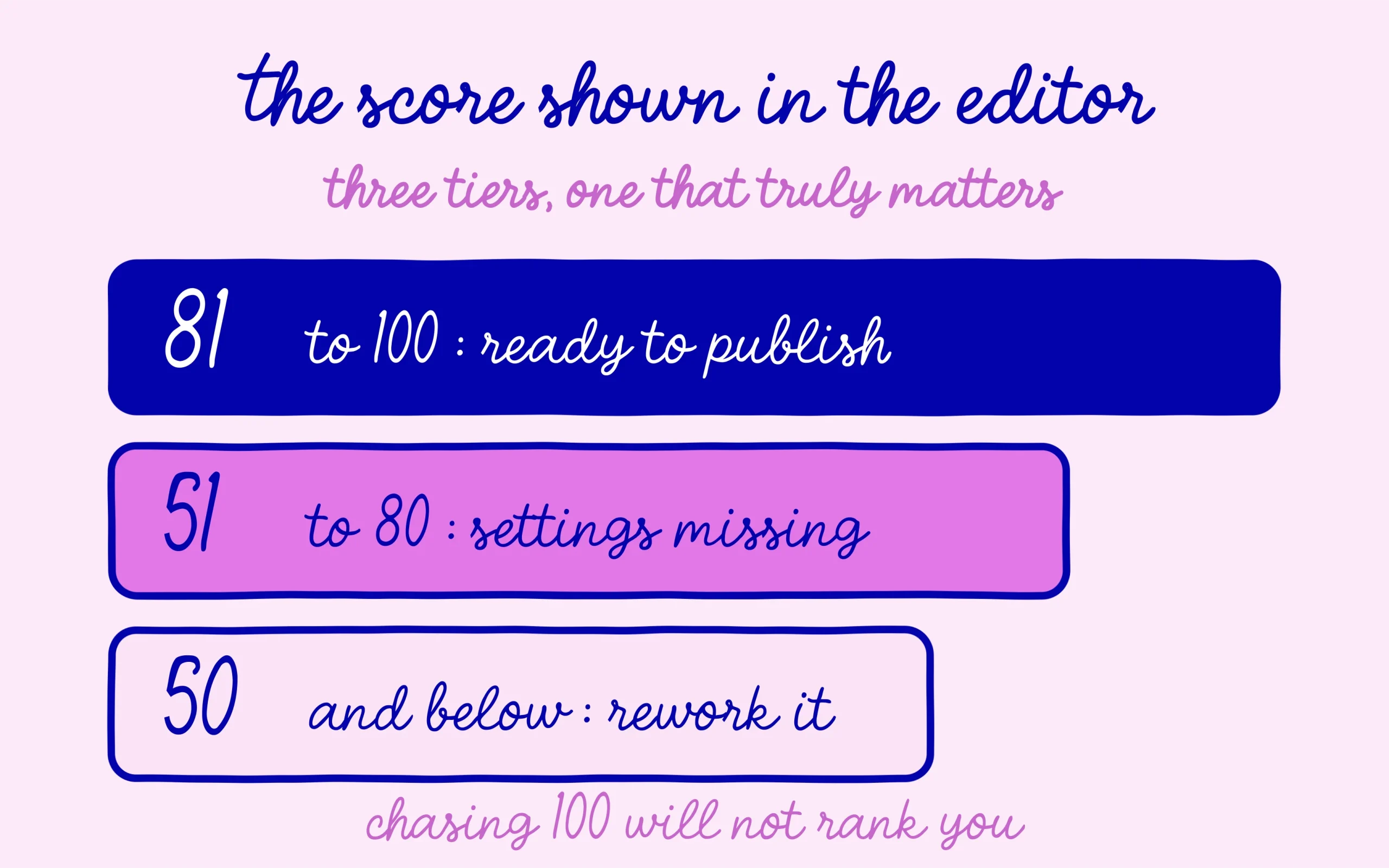
Second check, open a post and look for the plugin button inside the editor. The score shows out of a hundred and refreshes while you write. Above 80 the post counts as ready, between 51 and 80 optimisations are missing, below 50 the content is poorly optimised. That score stays a proofreading tool, never a goal in itself.
The third check rescues entire websites on a regular basis. Head to Settings then Reading, and make sure the box asking search engines not to index the site stays unticked. That WordPress option gets switched on during development and forgotten once the site goes live. No plugin setting compensates for a site politely asking not to be seen.
⚠️ Important information
Before you close your dashboard, open Settings then Reading: the box asking search engines not to index the site must stay unticked. No Rank Math setting compensates for a site that asks to stay invisible.
Two mistakes then keep coming back among beginners. The first is leaving two SEO plugins active at once, usually because uninstalling the old one feels risky. Both then produce their own tags and their own sitemap, with contradictory instructions. Deactivate and delete the one you are not keeping, once the import is done.
The second comes down to chasing a perfect score. Stuffing a text with keywords to climb from 88 to 100 wrecks the reading without adding anything to your positions. the score measures form, never how useful your writing is, and a helpful post sitting at 78 beats an unreadable one at 100.
That leaves the upgrade question, which lands as soon as the configuration is done. The Pro plan is listed at 7.99 euros a month on annual billing, and it mainly unlocks tracking for 500 keywords inside the dashboard plus advanced redirection features. None of that is necessary on a site that has just started, and the question comes back on its own once you have enough content to have positions worth watching.
Quiz: Does Your Setup Hold Up?
Which wizard mode is enough for a first site?
Show answer
Easy mode. It walks through the essential screens, and the advanced modules (role management, 404 monitoring, default schema) switch on later from the dashboard.
Should you enable nofollow on every external link?
Show answer
No. On an editorial site, an honest outbound link to a solid source belongs to the signals you want to send. That global setting does more harm than good.
What are the three checks once the wizard closes?
Show answer
The sitemap answers at sitemap_index.xml, the plugin score shows inside the post editor, and the box in Settings then Reading that blocks indexing stays unticked.
Useful Resources to Finish the Job
→ The official configuration guide published by the Rank Math team
→ Our tutorial on the XML sitemap and how to submit it to Google
→ Our article on badly set canonical tags
What If the Problem Runs Deeper Than a Plugin?
This tutorial covers the setup. If your site struggles with deeper issues, pages missing from the index, stalled positions, a confusing structure, our agency repairs everything in one pass. The “No time!” offer at €799 covers the audit and the fixes on up to 500 pages, with no quote and no meeting.

This article contains affiliate links: if you subscribe through one of them, SEO Noobies earns a commission at no extra cost to you.



[…] a page or a product. If you are starting from scratch with the plugin, the full walkthrough sits in our step-by-step setup guide. What matters is having one source of markup active at a […]
[…] at 6.99 €, 11.99 € and 18.99 € per month respectively. If the plugin itself is new to you, the basic Rank Math setup happens entirely in the free version and has nothing to do with any of […]