
Internal links are the links a post places toward another page on the same site, and on plenty of young WordPress sites they are mostly missing. Each post sits on its own, readers leave after a single page, and some articles never get a visit from anywhere else on the site. Connecting your pages takes no paid plugin and no technical background, because the WordPress editor can already search your own content. What remains is knowing which pages to connect, how to word the clickable text, and when to let Rank Math do some of the finding for you. Here is the whole method, in the order you would actually use it.
TL;DR
Google uses links to find new pages to crawl, so a page nothing points to is harder to find.
Before writing, list the pages that matter and the posts that cover neighbouring topics.
In the block editor, one keyboard shortcut opens a search that finds your posts by title, with no address to copy.
The clickable text should name the page it opens, and Rank Math can suggest links toward your main content.
Get an AI summary of this article
What Internal Links Change, and Which Pages to Connect
An internal link connects two pages of the same site. Readers use it to dig into a point without leaving, and Google’s crawler uses it to move from one page to the next. The very first line of Google’s guide to link best practices says Google uses links as a signal when judging how relevant pages are, and to find new pages to crawl. The same page sets one technical condition: Google can only crawl a link built as an HTML anchor element with an address, which is exactly what the WordPress editor produces.
A published page that nothing links to shows up in your latest posts for a few days, then slides off the homepage, and no path on your site leads back to it. SEO people call that an orphan page. Google may still know it exists, but nothing on your own site signals that it matters.
The link also carries a description. Its clickable words tell both the reader and the search engine what the destination is about. If the difference between Google finding a page and actually keeping it in results still feels fuzzy, our lesson on what indexing really means and why Google turns some pages down walks through each step. Google spells out the rule plainly: every page you care about needs at least one link from another page on your site.
Rather than dropping links in as they come to mind, spend five minutes before drafting on two short lists. The first holds your important pages: a service, a product, an in-depth guide you want people to land on. The second holds posts on topics close to the one you are writing, because those are the pages a reader is likely to want next.
On a small site, a spreadsheet is enough to spot orphan pages. List your published posts, go through them, and mark the ones that no other post links to. That is usually when you notice a strong older article has quietly lost every path leading to it. Those pages go to the top of your target list.
Site navigation counts too, since menus, category pages and the trail shown above a post are all internal links. Our tutorial on adding breadcrumbs to your WordPress pages shows how that trail ties each post to its section. It adds to the links inside your text without replacing them. As for how many links a post should carry, Google’s documentation sets no quota, so let each one answer a question the reader has at that exact spot.
Writing Anchor Text That Names the Destination
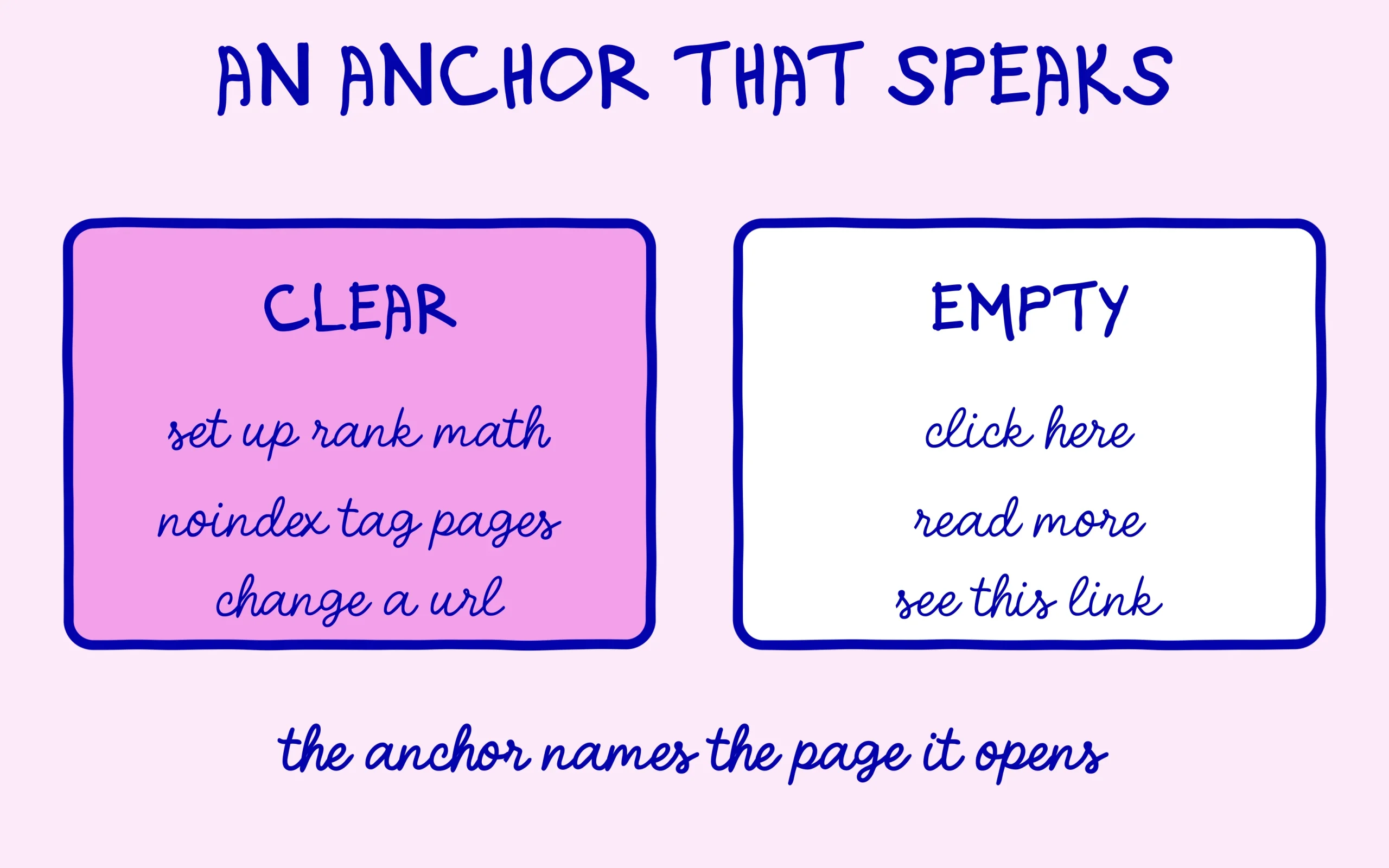
Anchor text is the clickable wording of a link. Google’s link documentation asks for anchor text that is descriptive, reasonably concise and relevant to the page it points to. It adds that paying more attention to the anchor text of internal links helps both people and Google make sense of your site. In practice, a reader should be able to guess the destination before clicking.
Among the generic examples Google lists as unhelpful are click here and read more. Compare them with an anchor such as remove tag pages from Google, which tells the reader and the search engine exactly what sits behind it. The easiest habit is to write your sentence normally, then highlight the group of words that names the linked page’s topic.
Avoid the opposite excess too, repeating the same keyword-stuffed anchor on every post. Vary the wording while keeping the topic of the destination. And remember your older links the day an address changes: our guide on what happens when you change a WordPress URL explains why existing links then need updating.
Adding the Link With Ctrl+K, Then Getting Suggestions
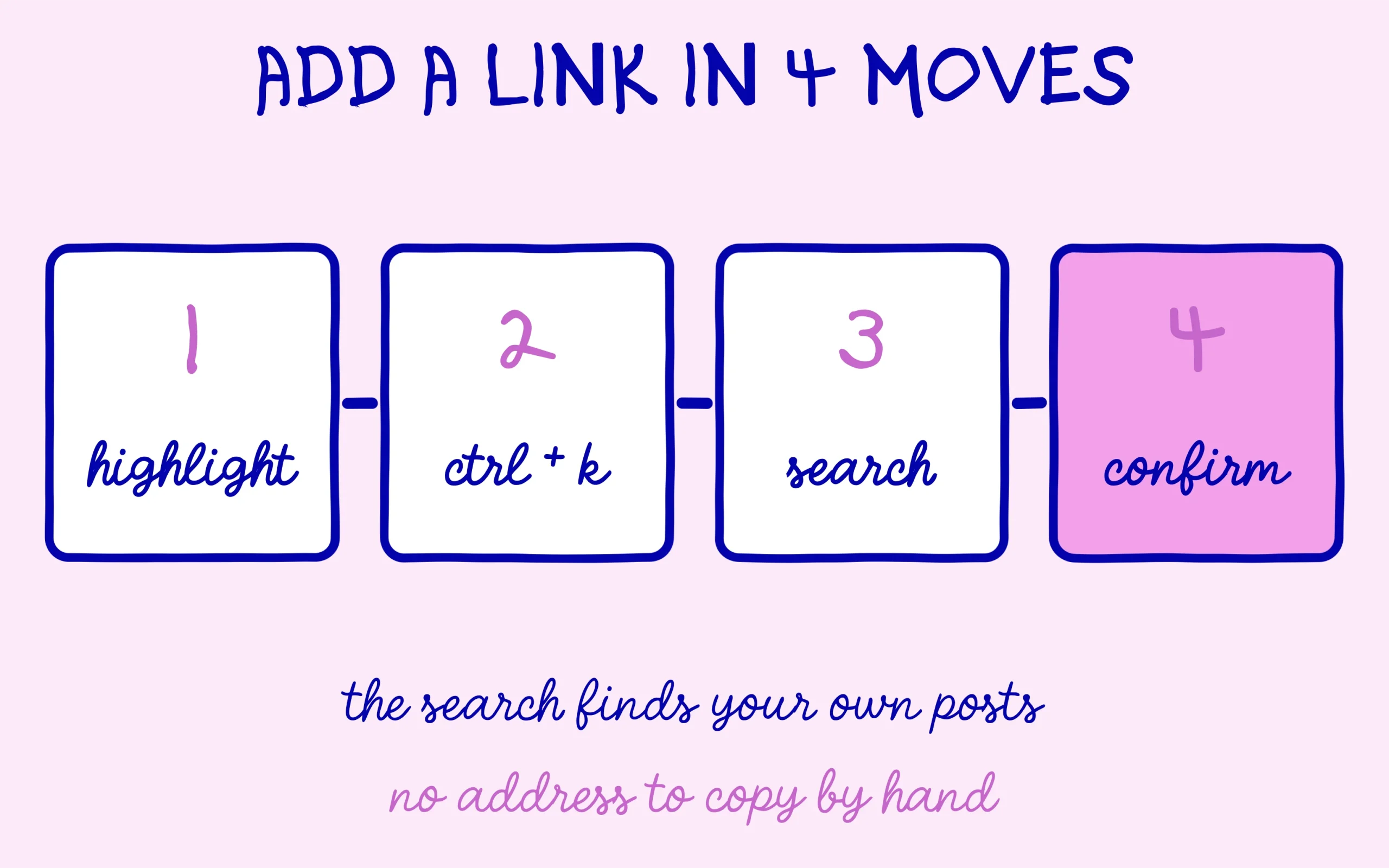
The WordPress block editor already has everything you need. Its official Link control documentation describes the steps: highlight the words that will become clickable, then press the link button in the toolbar, or use Ctrl+K on Windows and Cmd+K on a Mac. A small box opens right under your selection.
This is where the time saving happens. Instead of pasting an address, type a word from the title of the post you want to link. The documentation notes that this search covers pages, posts, attachments and images on your own site. Click the right result and the link is set with the exact address, no typo possible.
The box also has an Advanced section with two switches. Open in new tab does what it says, and Mark as nofollow asks search engines not to associate your site with the linked page. For a link to another page on your own site, leave nofollow off, since the whole point is for Google to follow it.
One detail is worth a look when you proofread. WordPress checks that an address looks valid, but its documentation is clear that it does not confirm the destination exists or loads. A link to a deleted post goes through without a warning. Before publishing, select the linked text: the editor shows a preview with options to open, edit, remove or copy the link, so you can check the page really responds.
Once a site passes a few dozen posts, remembering the right page to link gets tedious. The free version of the Rank Math plugin offers some help here, in the form of a link suggestions box that sits next to your text in the editor.
The feature rests on one idea you need first, pillar content. Rank Math’s knowledge base article on pillar content explains that you flag your reference posts by ticking This post is Pillar Content in the General tab of the post’s Rank Math box. Suggestions are then drawn from those posts. The documentation warns that without relevant pillar content, the box has nothing to offer, which accounts for most empty suggestion lists.
You switch it on from the plugin settings, in Advanced Mode. The path given by the documentation is Titles & Meta, then the Posts tab, where a Link Suggestions toggle sits near the bottom. A second setting, Link Suggestion Titles, decides whether suggestions rely on the post title or on its focus keyword.
The box only appears once the draft has been saved. Each suggestion comes with two buttons, one to copy the address to your clipboard and one to insert the link straight into the content. The feature works in the block editor and not in Elementor. A suggestion is still only a proposal to review. The tool cannot tell whether the sentence it picks is the right spot for a reader, and that call stays yours.
Discover the SEO Noobies agency
Three Questions to Check What You Took In
What does Google use links for, according to its documentation?
See the answer
To judge how relevant pages are and to find new pages to crawl. A page nothing links to becomes harder to find.
Should you turn on nofollow for a link to another page of your own site?
See the answer
No. That option asks search engines not to associate your site with the linked page, while an internal link exists precisely to lead Google to your own pages.
Why does Rank Math’s suggestions box sometimes stay empty?
See the answer
Because suggestions are drawn from posts flagged as pillar content. With no relevant pillar content, the plugin has nothing to propose.
Getting a Whole Existing Site Linked Up Without Losing Your Evenings
On a site that already holds dozens of posts, linking turns into a real project: rereading every article, finding orphan pages, choosing the main content, then fixing anchors one by one. The calendar is almost always what stalls it, because this work keeps slipping behind new content.
The full engagement from the SEO Noobies agency, starting at €2,499, includes that project carried out: pages organised by topic, internal linking put in place on the site, a competitor analysis and a multi-month roadmap. The details are on the SEO Noobies agency page.
If you would rather start with a diagnosis, the €799 package includes a semantic audit that flags what your linking is missing, with recommendations ranked by priority.
Keep learning on SEO Noobies.
This article contains affiliate links: if you use our links to Rank Math, SEO Noobies may earn a commission at no extra cost to you.