
A 301 redirect is the forwarding note you leave behind when a page moves to a new address. Without it, visitors hit an error page and Google eventually drops the old URL from its index without passing anything on to the replacement. A great many sites lose rankings at exactly that moment rather than during the redesign itself. The good news is that the whole operation takes about two minutes in WordPress once you understand what you are actually doing. Here is the full method, the three ways to go about it, and the mistakes that keep showing up.
TL;DR
The 301 status code tells Google the move is permanent and that the new address replaces the old one for good.
WordPress gives you three routes: a dedicated plugin, the module built into your SEO plugin, or the server configuration file.
A plugin handles almost every real-world case and spares you a file that can take the whole site offline.
The transfer is not instant, and it needs watching in Search Console for several weeks afterwards.
Summarize This Article with AI
ChatGPTContents
What the 301 status code actually does when a page moves
Three ways to set up a 301 redirect in WordPress
The step-by-step method with a plugin
What the 301 status code actually does when a page moves
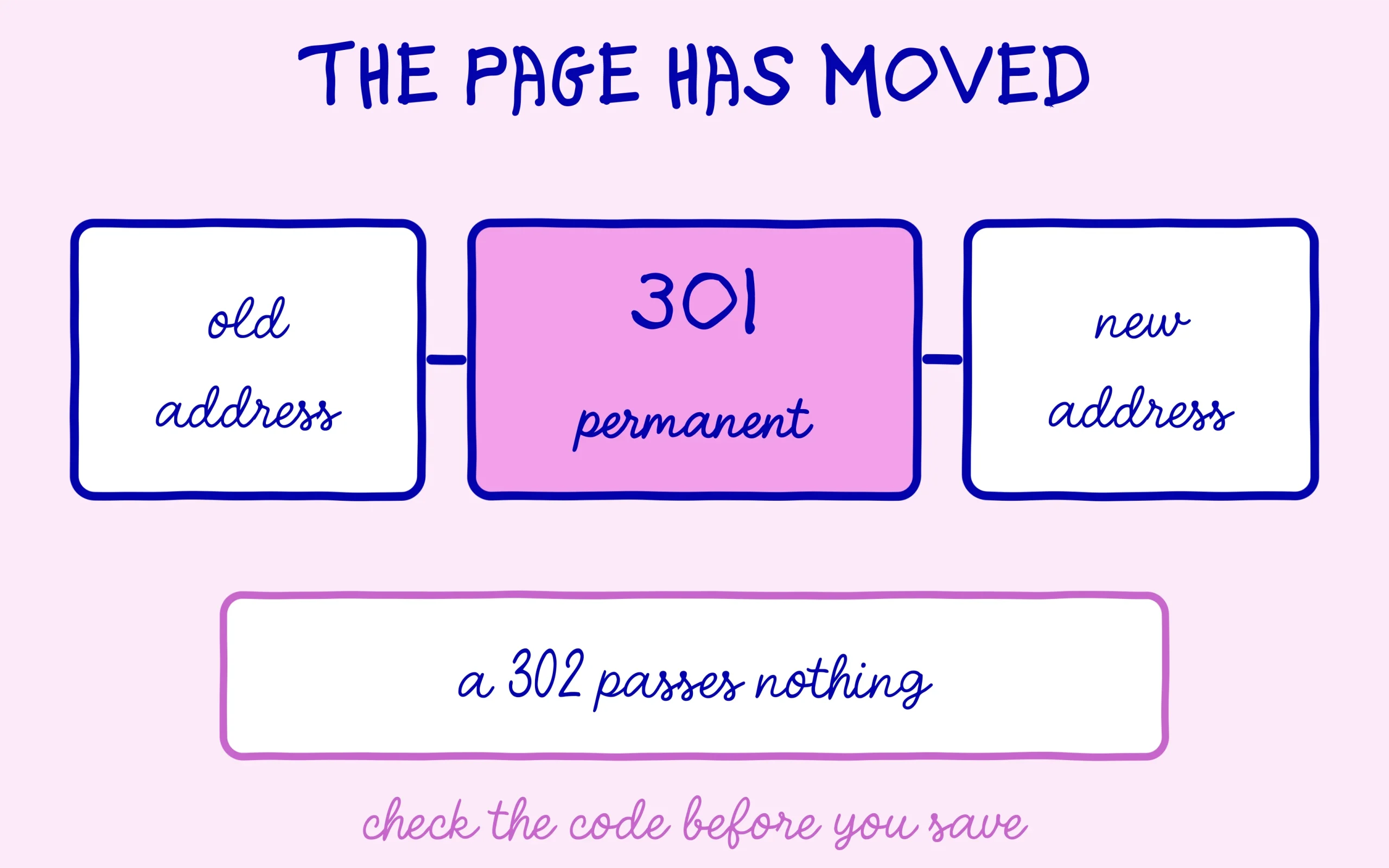
Every time a browser asks for a page, the server answers with a status code. A 200 means everything is fine, a 404 means the page does not exist, and a 301 means the page has moved for good. That last code carries two messages at once. The visitor is carried across to the new address automatically, and search engines understand they should swap the old URL for the new one in their index.
There is also a 302 code, which signals a temporary move, and the difference matters more than it looks. With a 302, Google keeps the old address on file and waits for it to come back, so nothing transfers in any lasting way. With a 301, the old address fades out of the index and the reputation it built up passes across. The wrong code in the wrong place wipes out the entire benefit, and it is one of the most common mix-ups among people learning this.
The situations that call for a redirect are easy enough to spot. You change the slug of a post that has been live for years. You merge two articles that were saying the same thing. You delete a product page for something you no longer sell. You move from one domain name to another. In all four cases an address Google knows about is going to vanish, which is precisely where the forwarding note belongs. Skip it and that URL joins the long list of pages discovered but never indexed before dropping out entirely.
One case is worth ruling out immediately. If two similar pages both need to stay online and neither is closing down, a redirect is the wrong instrument. What you want is a canonical tag naming the reference version. We went through that mechanism in our piece on the bad canonical tag that quietly hides your pages. Confusing the two tools sends readers away from a page that had no reason to close.
Three ways to set up a 301 redirect in WordPress
The first route is a plugin built specifically for redirects. It is the most widely used option, it gives you a plain interface with two fields for the old and new address, and it keeps a log of the 404 errors visitors run into across the site. The upside is that it needs no technical knowledge whatsoever. The downside is one more plugin on the pile, and every forward passing through WordPress before it executes.
The second route avoids that extra weight entirely. If your site already runs a full SEO plugin, a redirect module is probably sitting inside it unused. That is the case with Rank Math in its free version, where the Redirections module switches on with a single toggle. Your forwards then live in the same place as your titles and meta descriptions, which saves juggling dashboards.
The third route writes the rule straight into the server configuration file, the well-known .htaccess on Apache hosting. It is the fastest at execution time, since the forward happens before WordPress even starts up. It is also by far the riskiest: one syntax error in that file takes the entire site offline, and fixing it needs FTP access. Honestly, this route only earns its keep on large volumes or genuinely complex rules.
For a site under a few hundred pages, the answer is straightforward. A plugin does the job, and the speed advantage of the server route is invisible at that scale. Keep manual configuration for the day you migrate a whole site to a new domain with hundreds of rules to write in one sitting.
There is a fourth option people occasionally reach for, and it deserves a warning rather than a recommendation. Some themes and page builders offer a redirect field inside the post editor, which looks convenient because it sits right where you are working. The catch is that those rules disappear the day you change theme, and nothing warns you when they do. Anything that lives inside a theme is temporary by nature, so keep redirects in a plugin or on the server where they survive a redesign.
Whichever route you pick, avoid running two of them at once. A rule in the server file and a rule in a plugin for the same address will fight each other, and which one wins depends on details you should not have to think about. Pick one place for your redirects and keep everything there, even when a second option would be quicker on a given day.

The step-by-step method with a plugin
Step one, pin down the exact address you want to forward. Exact is the operative word here. The rule compares characters one by one, so a trailing slash present on one side and missing on the other is enough to break the whole thing. Copy the address from your browser rather than typing it out, which is the surest way to avoid a silent mismatch.
Step two, switch the module on. In Rank Math it lives in the plugin dashboard under Modules, where a Redirections card waits to be toggled. A new menu entry appears once it is active. If you are starting from scratch with that plugin, our walkthrough on setting up Rank Math in ten minutes covers the full install before you get to this point.
Step three, create the rule itself. You paste the old address into the source field, the new one into the destination field, and you pick 301 from the dropdown. This is where a lot of people slip: some plugins offer 302 as the default value, and nobody thinks to look at that menu. Take three seconds to confirm the selected code really is a permanent 301 before saving.
Step four, test it straight away. Open a private browsing window, paste the old address, and check that you land on the new page. Private browsing matters, because your own browser caches redirects it has already met and can show you a result that has nothing to do with what a real visitor gets. This single habit saves a lot of confusion later.
Step five, update your internal links. A redirect covers visitors arriving through an old link somewhere out on the web, but leaving your own pages pointing at a dead address serves no purpose at all. Go through the posts that cited the old page and swap the link for the new address. The rule stays in place for the external links you have no control over, which is what it was for in the first place.
One habit worth building while you are in there: write down what you did and why. A redirect list read two years later is almost impossible to reason about without notes, and the temptation to delete rules you no longer understand grows every time you open that screen. A one-line comment per rule costs nothing today and prevents a bad decision later on.
Mistakes that cost rankings instead of saving them
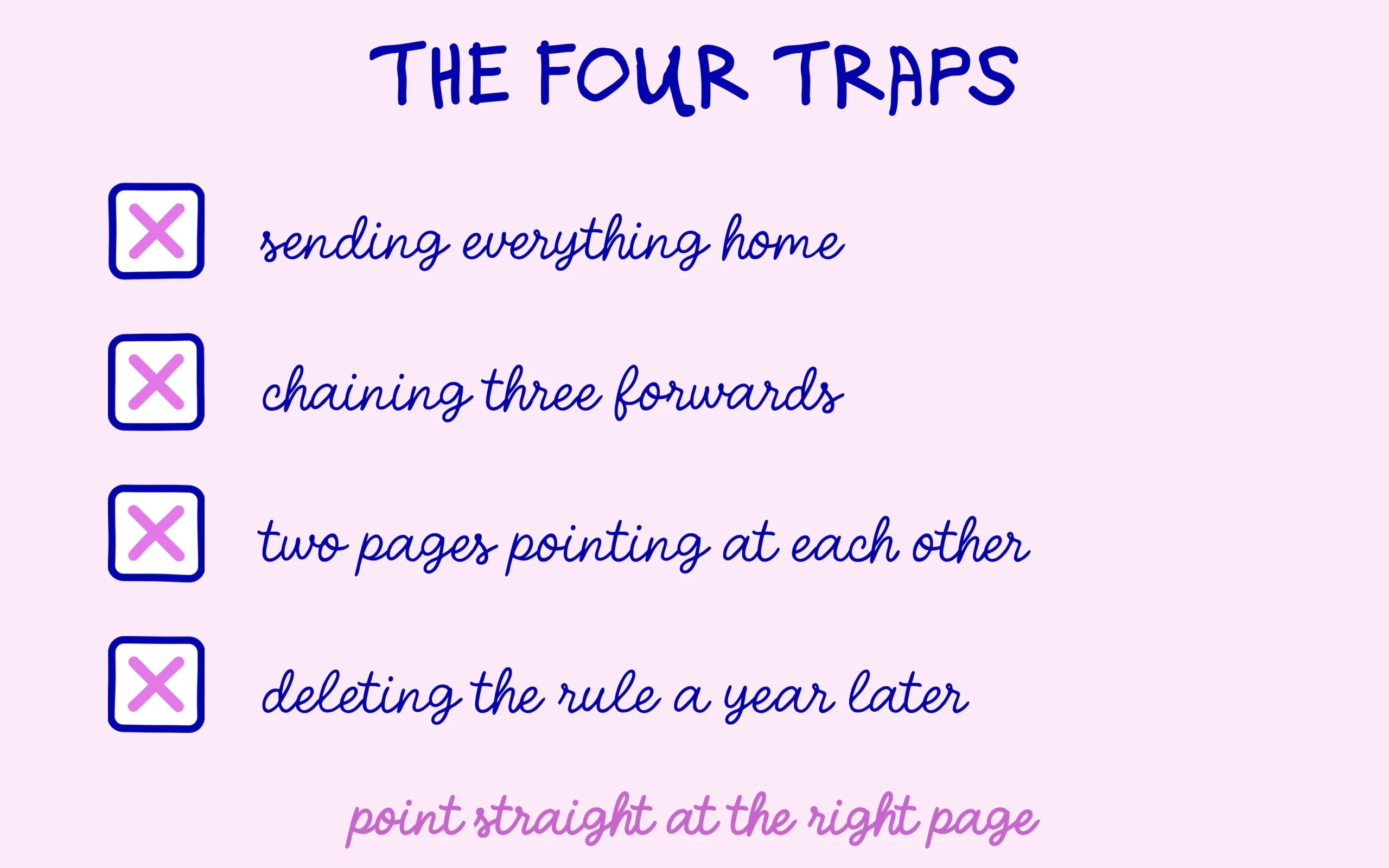
The most expensive mistake is forwarding every deleted page to the homepage. It is tempting because it is quick, and Google generally treats those forwards as soft errors rather than genuine redirects. The visitor, meanwhile, was after one specific thing and lands on a general menu instead. A 301 redirect only carries value when the destination answers the same question the original page answered.
Next come chains. Page A forwards to B, which forwards to C, which forwards to D. Every link in that chain adds delay for the reader and thins out the signal reaching search engines. This builds up naturally over the years as a site evolves and nobody goes back to tidy up. The right reflex is to rewrite the older rules so they point straight at the final destination rather than stacking another layer on top.
Third trap, the loop. Page A forwards to B and page B forwards back to A. The browser goes round in circles and gives up with an error message after a few passes. It happens more often than you would think when several people manage the same site without talking to each other, or when a forgotten old rule collides with a new one.
Domain moves deserve their own paragraph, because they concentrate every one of these traps at once. Each address on the old site has to point at its exact counterpart on the new one, page by page, without funnelling the awkward cases into the homepage. The rules need to stay live for a long time, the old domain has to keep being paid for and renewed, and the move should be declared in Search Console with the tool built for it. A UK publisher reported a 98% drop in news visibility two weeks after a domain change in early September, a figure tracked by John Shehata, founder of NewzDash. The case cannot be checked in detail and other factors were in play, but it gives a sense of the scale of the risk when this step is rushed.
A final reflex to unlearn concerns pages with no value in the first place. An empty tag page or an automatic archive does not need a 301 redirect, it needs to leave the index cleanly. We set out how to do that in our tutorial on removing WordPress tag pages from Google. Redirecting those pages only moves the problem somewhere else.
Worth saying plainly: not every deleted page needs a forward. If a page had no traffic, no external links and answered nothing anyone still asks, letting it return a 404 is a perfectly correct outcome. A 404 is not a penalty and Google handles them by the million every day. Building hundreds of forwards for pages nobody misses just leaves you with a rule list too heavy to maintain and no benefit to show for it.
One more thing that catches people out: files are addresses too. A PDF you replace with an updated version, an image someone linked to from a forum, a downloadable price list that moved folders. Those all have URLs, they all get linked to from outside, and they all deserve the same treatment as a normal page. Most redirect plugins handle them without any special configuration, and the omission usually comes from simply forgetting they exist.
Checking that the forward genuinely works
The simplest check is the private browsing test described earlier. To go further, an HTTP header checking tool shows the code the server actually returns, and that is the only way to tell a real 301 apart from a page that displays the new content without ever announcing the move. That second situation exists in the wild and is completely invisible to the naked eye.
Over in Search Console, the URL inspection tool tells you what Google has made of the old address. Watch the timing, though: updates do not follow your schedule, and the old page can sit in the reports for weeks. That lag is normal and does not mean the redirect failed, much as we saw with how long a site takes to recover after a fix.
The page indexing report is worth a regular glance after the operation too. Old addresses should gradually shift into a redirected status while the new ones appear as indexed. If a new page stays stuck in a waiting state for weeks, the cause lies somewhere else entirely and has nothing to do with your forward.
Analytics gives you the other half of the picture, and it is the half most people never look at. Traffic arriving on the new address should climb over the following weeks while the old one drains away. If neither moves, the rule may be firing for you and not for search engines, which is exactly the case an HTTP header check catches. A quick look at referrers also shows which external sites still point at the old address, and those are the ones worth a polite email asking for an update.
Last point, and the one people get wrong years later: leave your rules alone. A 301 redirect has no expiry date, and deleting it twelve months on reopens the exact hole you plugged. The external links pointing at your old addresses are never going to disappear on their own. A 301 redirect set up properly is a permanent repair, provided nobody tidies it away.
This article contains affiliate links: if you take out a paid plan through one of them, SEO Noobies earns a commission at no extra cost to you.

Keep learning on SEO Noobies.